Prior to testing, Pearson recommends confirming that each student testing device is configured properly. The App Check is essential to run on each student testing device.
App Check does not check screen size or resolution. If a student attempts to sign in to a test on a device that does not meet support minimums, TestNav may display an error. See TestNav System Requirements for support minimums.
App Check Method 1 (ADAM Only)
Note: This feature is only available for programs that use ADAM and have their own TestNav tile on the TestNav home page.
Launch TestNav on the student device.
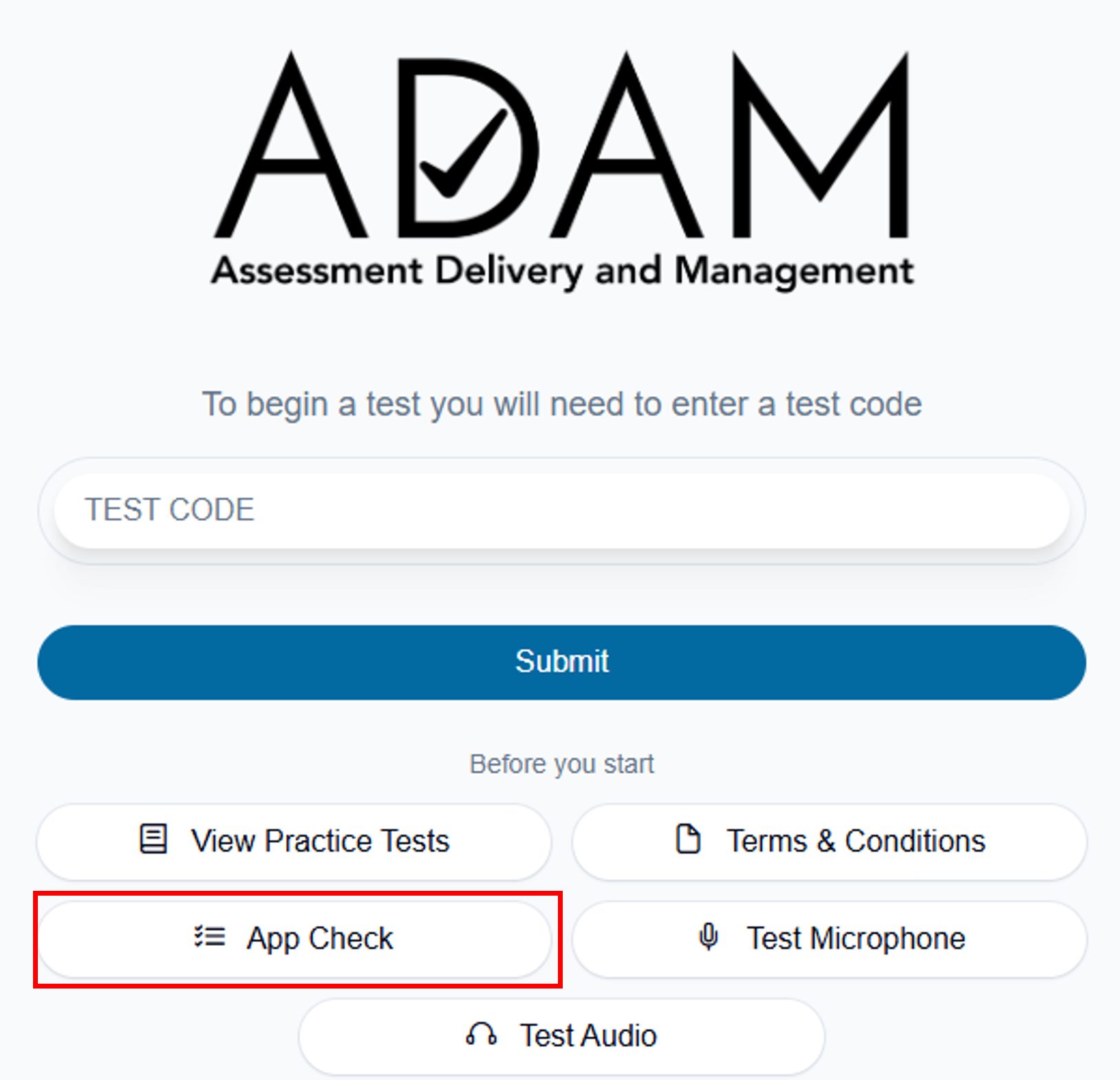
Select App Check under "Before you start."
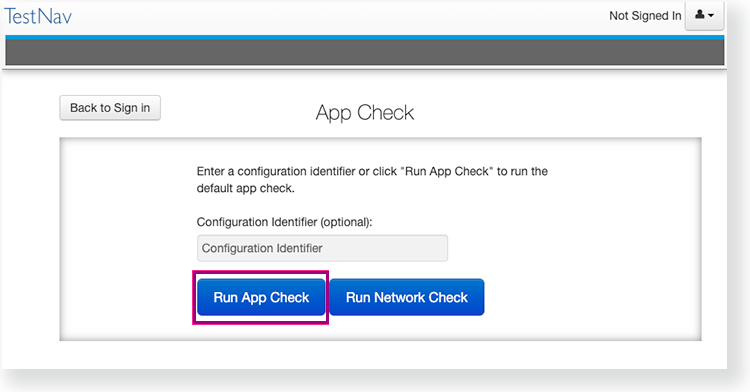
Select Run App Check.
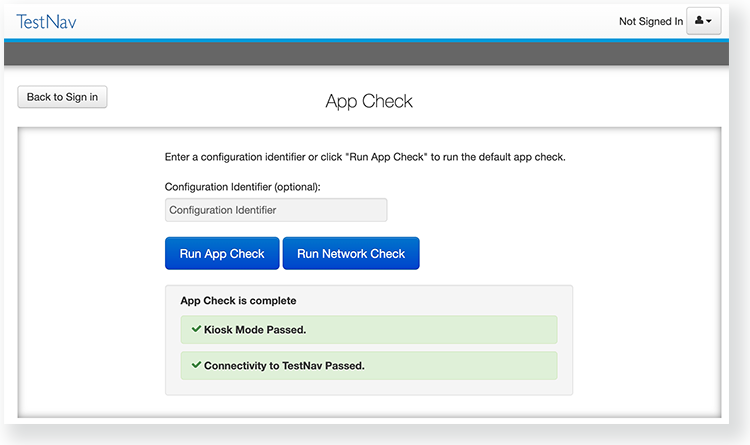
When the app check completes, review the results. Green checkboxes for Kiosk Mode readiness and connectivity to TestNav display if the system passes. If one of these fails, a message indicates you must check your connection and settings before running App Check again.
App Check Method 2
Launch TestNav on the student device.
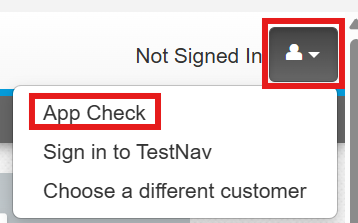
Select App Check.
Additional step for PearsonAccessNext installations only (not ADAM): If you have obtained a Configuration Identifier from your assessment management system, enter it in theConfiguration Identifierfield on the App Check page.
The configuration identifier allows TestNav to also check connection to ProctorCache computers. If your assessment management system allows, this configuration ID may also check for blocklist compliance. If ProctorCache connectivity (or blocklist compliance) fail, TestNav provides information for possible resolutions.
Select Run App Check.
When the app check completes, review the results. Green checkboxes for Kiosk Mode readiness and connectivity to TestNav display if the system passes. If one of these fails, a message indicates you must check your connection and settings before running App Check again.
Run Network Check
The best way to ensure network capacity is to follow the guidelines in the Network Requirements and Guidelines page. The Network Check described here is essentially an internet speed test that divides the results by the number of testers entered. It will not take into account the distribution of students to hotspots, etc. It may be useful for PearsonAccessNext users who are trying to determine if Proctor Caching is needed.
Launch TestNav on the student device.
Select App Check.
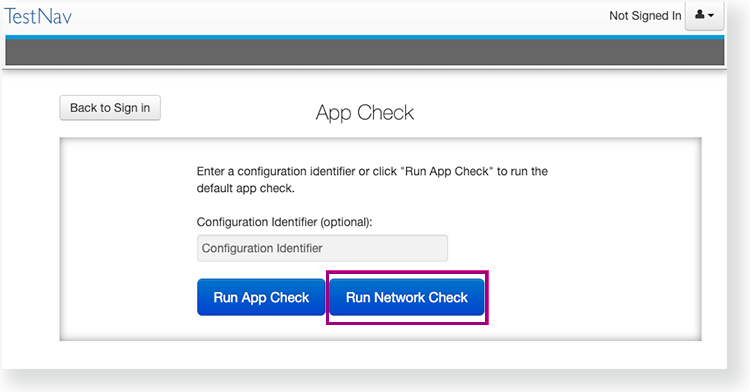
Click Run Network Check.
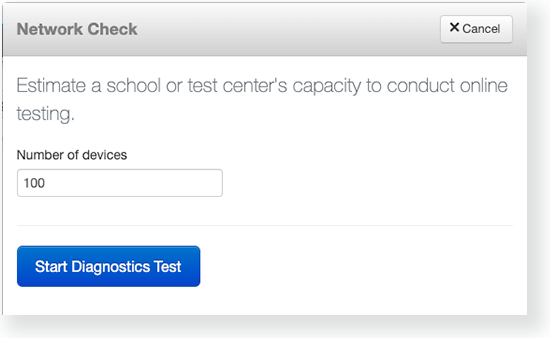
Estimate the number of devices that will connect to your network during testing, and enter it into the Number of devices field.
Click Start Diagnostics Test.
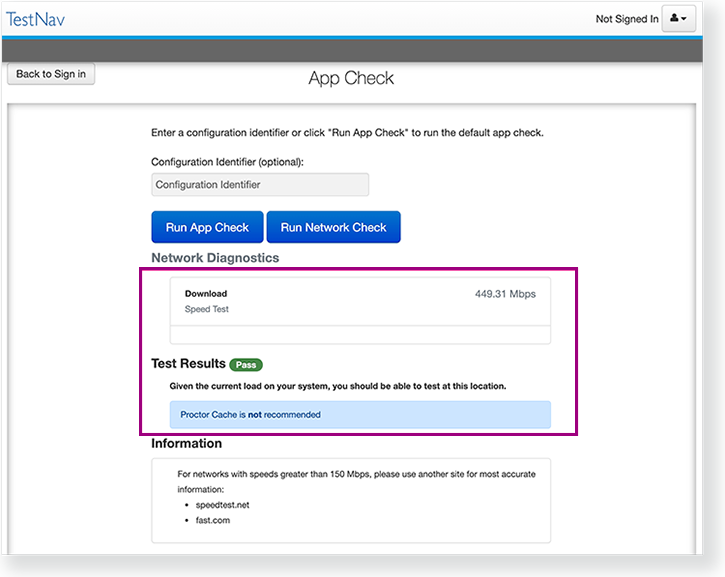
View Test Results under Network Diagnostics to determine whether your network has sufficient bandwidth to test. Note: Any reference to 'ProctorCache' applies only to installations using PAN rather than ADAM.