
...
- Sign in to the Google Admin console for your domain, using your administrator account (does not end in @gmail.com).
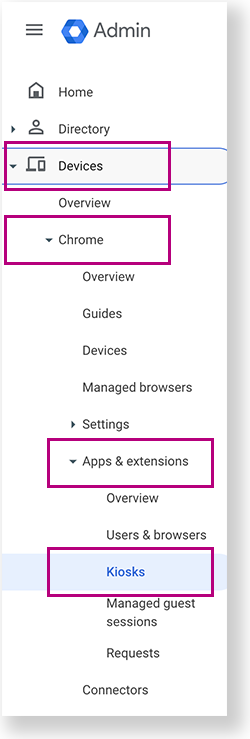
From the Google Admin console home page, go to Devices > Chrome >Apps & extensions >Kiosks.
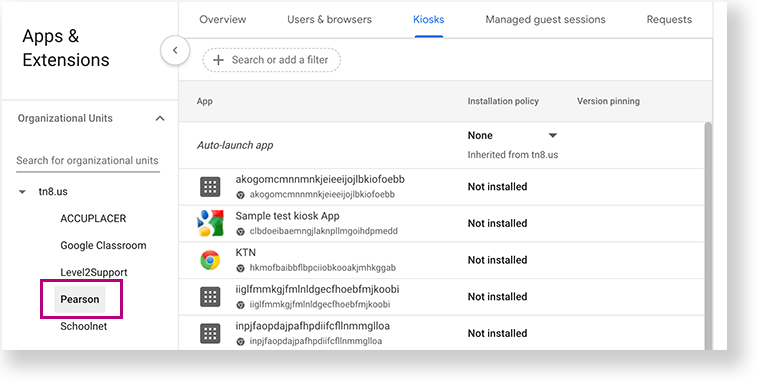
- Under Organizational Units, select the top-level organization that you want to apply these settings to. Then, select a child organization, if necessary. In the example below, Pearson is selected to give all Chromebooks within the Pearson organization access to TestNav.
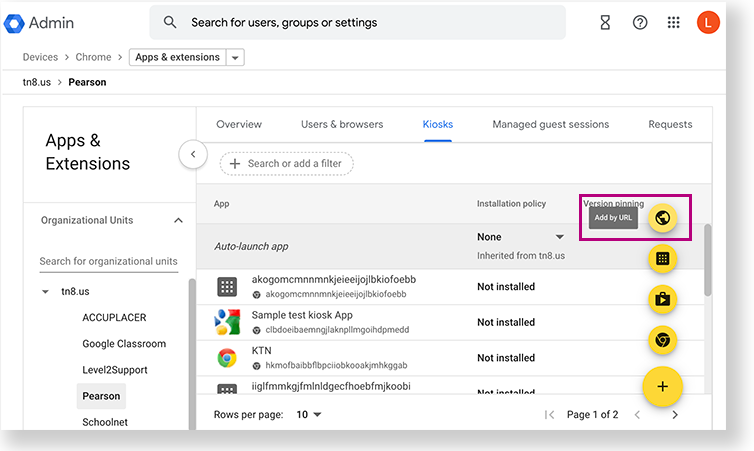
- Click the Add by URL icon.
- Add the following URL:home.testnav.com#:standalone:standalon
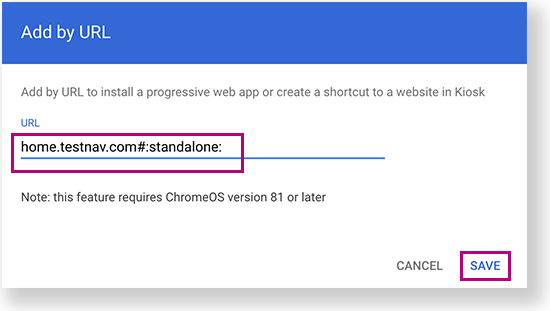
- Click Save.
Anchor systmcheck systmcheck
Run App Check
| systmcheck | |
| systmcheck |
...