
...
Depending on the test configuration, students may be able to submit sections and final answers out of order.
End Section Page
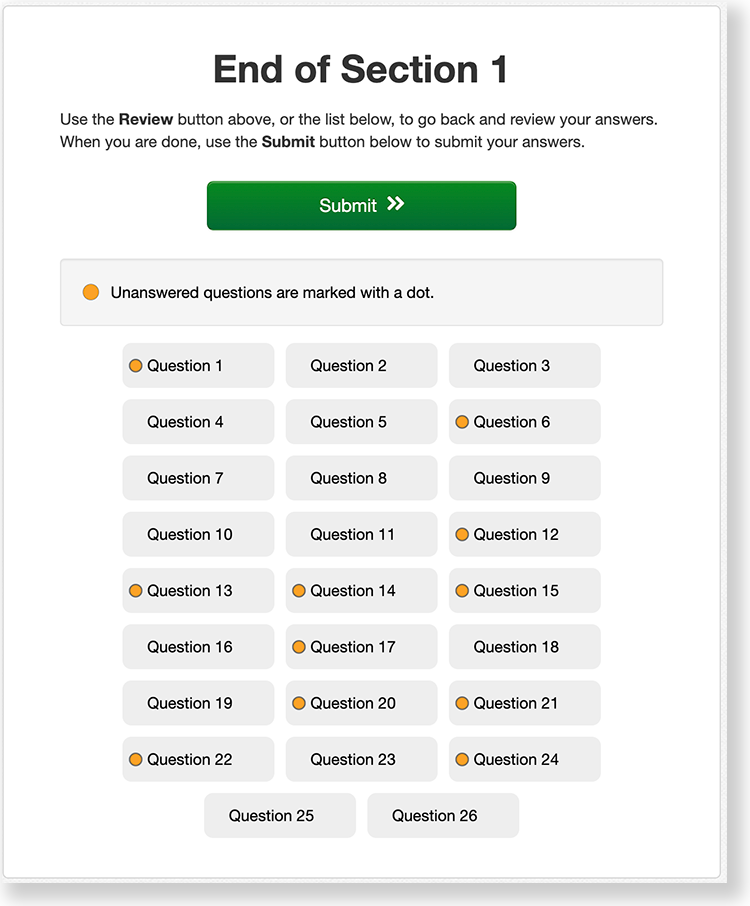
The student sees the page below at the end of a section. This page shows which section the student has completed, as well as the number of unanswered questions, questions answered, and bookmarked questions. The student can click an unanswered question from the list or click the Review button above to review questions only in that section. After students leave a section, they cannot go back to that section.
Section Exit Warning
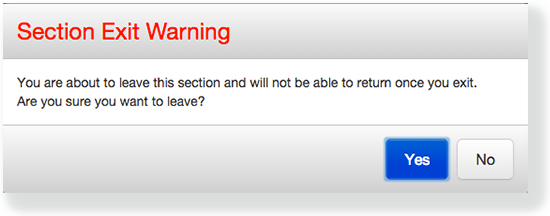
The student sees the Section Exit Warning after clicking Submit Section. This warning reminds the student that he or she cannot return to this section after exiting it. The student can click Yes to go to the next section, or No to close the warning message and review questions in that section.
Mini Menus
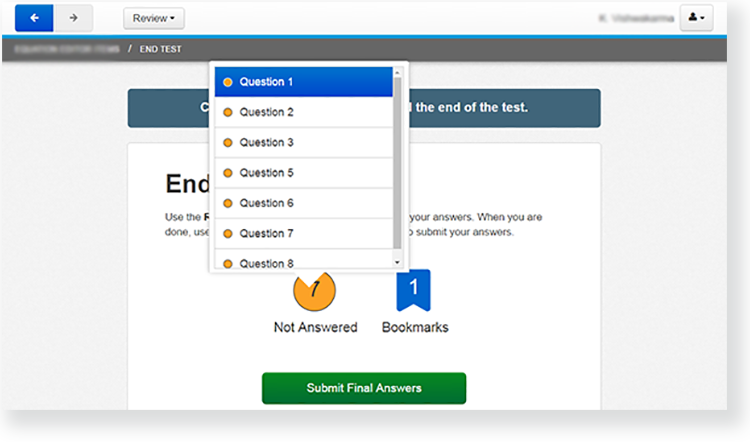
At the end of a section or test, the student can click on either the Not Answered icon or Bookmarks icon to see a mini menu. These show unanswered questions or bookmarked questions within that section. The student can click on any question within each mini menu to revisit that question. See an example in the screenshot below:
End of Test Page
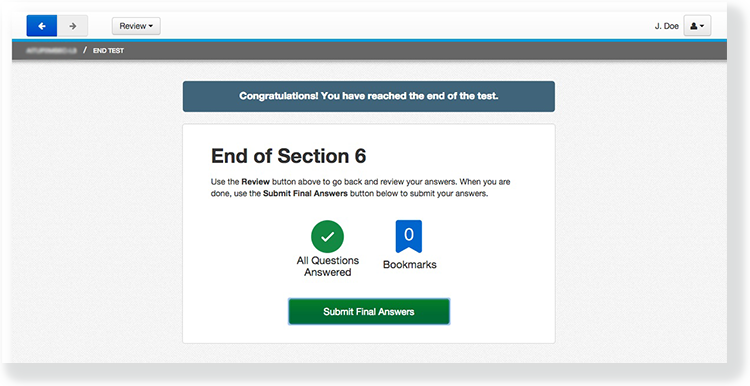
The student sees this page at the end of the last section of the test. This page shows the section number, the number of unanswered questions, questions answered, and bookmarked questions. The student can click Review to review questions only in that section, or click Submit Final Answers to submit and log out of TestNav. The student cannot go back into the test after clicking Submit Final Answers.
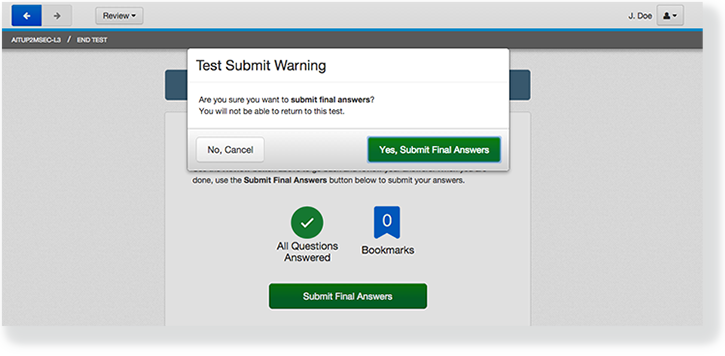
Test Submit Warning
After the student clicks Submit Final Answers, TestNav displays the Test Submit Warning. This warning confirms that the student is ready to exit the test. The warning tells the student that he or she cannot return to the test after clicking Yes, Submit Final Answers.
Log Out Complete Page
When the student clicks Yes, Submit Final Answers, TestNav logs the student out and displays the Log Out Complete page.
Multimedia name srt_submit-answers_se.mp4 width 600 height 338 
...