ADAM Support

Page tree

Versions Compared

Key

  • This line was added.
  • This line was removed.
  • Formatting was changed.
Excerpt

Administrator roles with the appropriate permissions can add or edit the accommodation profiles in Client Settings. A student's accommodations for each profile can then be selected in their student record.

Note
titleImportant
When creating a test, you MUST select the appropriate accommodation profile in Test Config and the appropriate accommodations for that profile in the student record.
  1. Go to System > Client Settings > Accommodations.
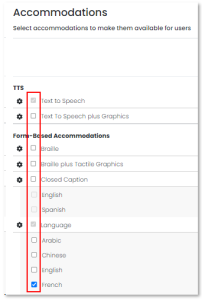
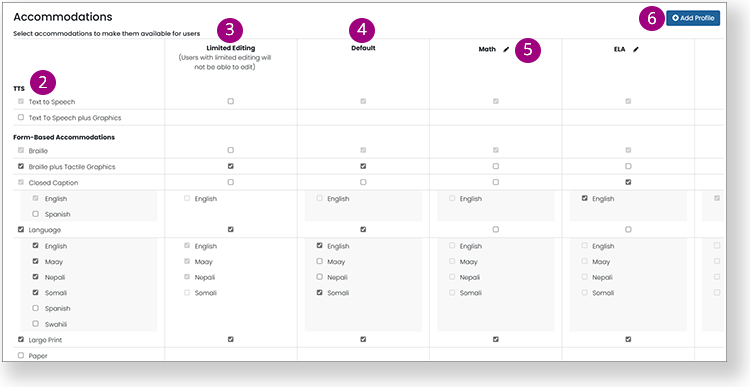
  2. In the left column, select all accommodations that can be assigned  

    Once an accommodation is assigned to a student, it will appear in gray and cannot be removed. Accommodations not yet assigned to any student appear in blue and may be removed.

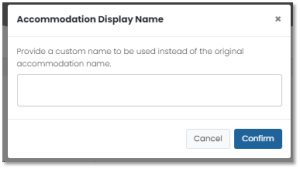
  3. To change the label for an accommodation, click its gear icon, select Display Name, enter a new name and then click Confirm.
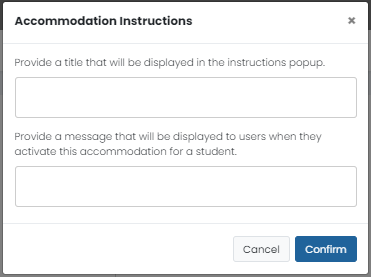
  4. For users who will edit accommodations per student, you can add informational text: click the gear icon, select Instructions, enter text following the onscreen instructions and then click Confirm.


    Note: These instructions only appear when editing individual students, not when bulk uploading accommodations.

  5. In the Limited Editing column, select the accommodations that users will not be able to change if Limited Accommodations Editing is selected for their role in Role Configuration.
  6. In the Require Approval column, select any accommodations that require approval
  7. The Default profile contains accommodations as they were defined prior to implementing accommodation profiles.
  8. Select the Edit icon on an existing accommodation profile to make changes.
  9. Select Add Profile to add a new profile that can be used for a type of test, such as ELA or math.
  10. After making changes to an accommodation profile, Submit at the bottom of the page.
Info

All profiles will be available in the student record, where you can select the appropriate accommodations for that student from each profile. After an accommodation has been assigned to students or tests, its checkbox will be disabled to prevent data errors.

...