
...
- From Testing > Student Tests, find and select the student whose record you want to audit.
- Select Edit Student Tests from the Tasks list and click Start.
From the information page displayed, under the student's name, select the student test from the Student Tests list.
Expand title Click here to view a screenshot... 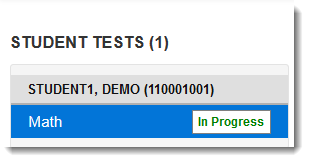
Select Show Audit Trail on the right side of the page.
Expand title Click here to view a screenshot... 
Include Page _PAsup_showAuditTrail _PAsup_showAuditTrail
...