
...
| Warning |
|---|
Users that do not accept the security certificates will see an error message. These users must close the browser entirely and complete the update before they can use TestNav and SystemCheck. |
| Anchor | ||||
|---|---|---|---|---|
|
- Click the Apple icon > System Preferences > Java.
Click Advanced.
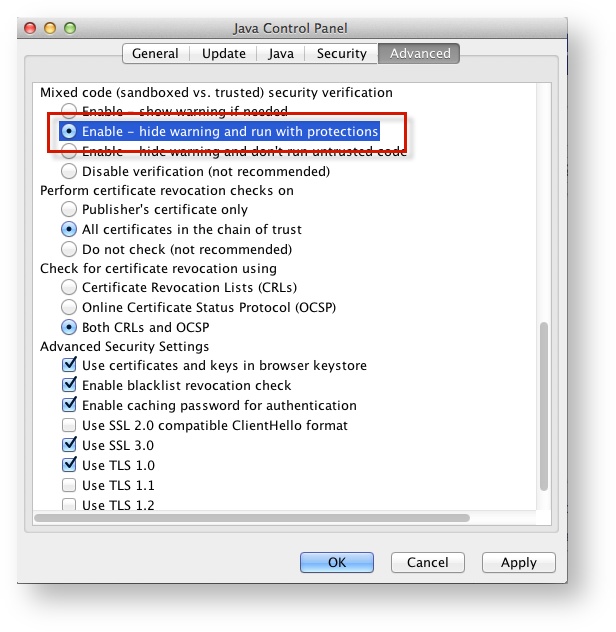
Select Enable - hide warning and run with protections:
| Include Page | ||||
|---|---|---|---|---|
|
Set Response File Back Up Save Locations
...