
...
- Click on Rubric Setup in the Setup/Configuration menu (left hand navigation)
- Click on
 in the top menu bar
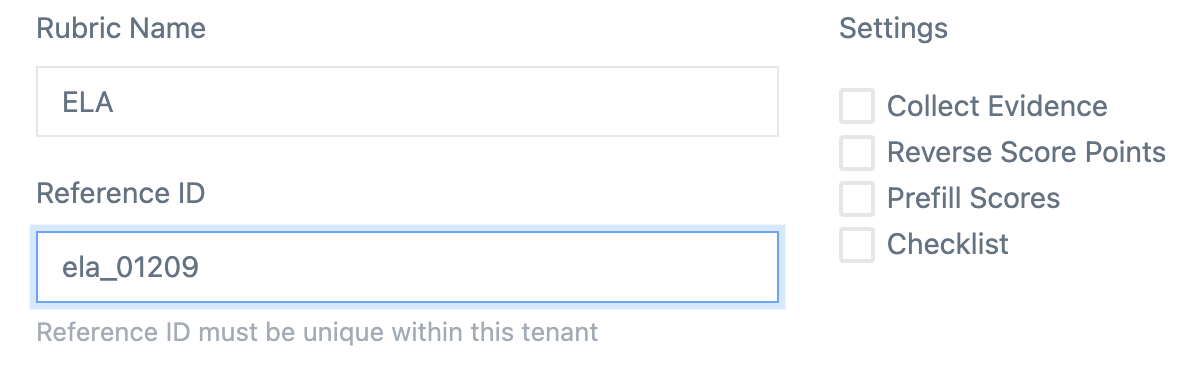
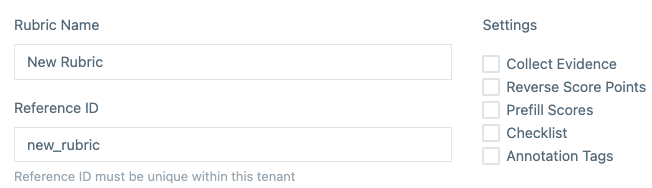
- Rubric Name - The label seen when assigning rubric's to Items
- Reference ID - used when working directly with the API
- Settings
- Collect Evidence - this adds an additional text field for the scorer to add notes specific to each trait being scored (vs. Text Traits)

- Reverse Score Points - scores from 1 | 2 | 3 | 4 are reversed to 4 | 3 | 2 | 1
- Prefill Scores - sets the default scored value of 1
- Checklist (text traits only) - this adds a checklist to be completed by the scorer
- Collect Evidence - this adds an additional text field for the scorer to add notes specific to each trait being scored (vs. Text Traits)
Trait Setup
There are two types of traits:
...