
...
Include Page
- From Setup > Students, find and select the student whose record you want to audit.
- Select Create / Edit Students from the Tasks list and click Start.
From the information page displayed, select the student from the Students list.
Expand title Click here to view a screenshot... 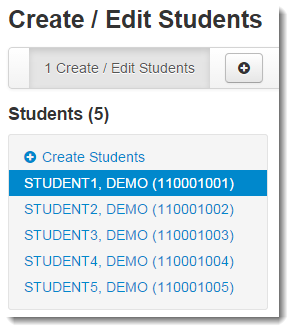
Include Page IR:_PAsup_Students_CreateEdit IR:_PAsup_Students_CreateEdit Select Show Audit Trail on the right side of the page.
Expand title Click here to view a screenshot... 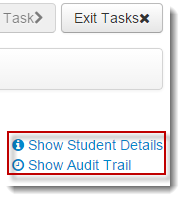
Include Page IR:_PAsup_showAuditTrail IR:_PAsup_showAuditTrail
...