
| Expand | ||||||||||||||||||||||||||||||||||||||||||||||||
|---|---|---|---|---|---|---|---|---|---|---|---|---|---|---|---|---|---|---|---|---|---|---|---|---|---|---|---|---|---|---|---|---|---|---|---|---|---|---|---|---|---|---|---|---|---|---|---|---|
| ||||||||||||||||||||||||||||||||||||||||||||||||
Click Precache. Depending upon the browser you are using the The following step would varyvaries by browser. Precache with browsers using the Java Applet expand | title |
| Expand | ||
|---|---|---|
| ||
|
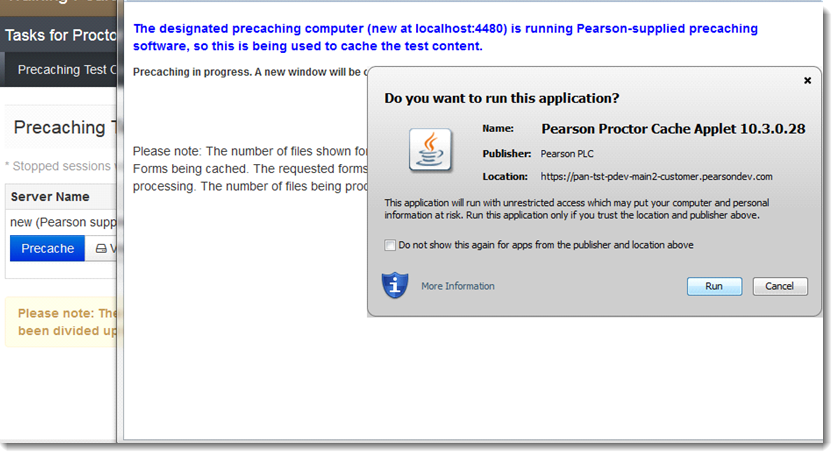
The TestNav status window reflects the precaching status.
OnceAfter processing is complete, close the pop-up window.
| Expand | ||
|---|---|---|
| ||
| ||
| Expand | title | |
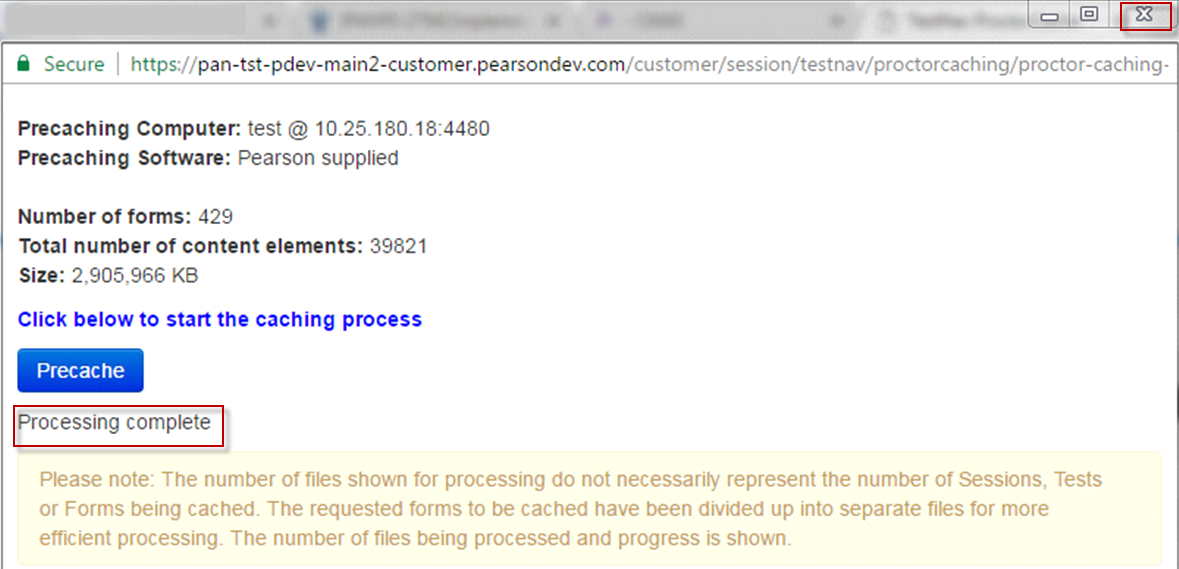
FireFox 50
The Pearson Proctor Cache Applet requests permission to run. Click Run.
| Expand | ||
|---|---|---|
| ||
|
The TestNav status window reflects the precaching status.
OnceAfter processing is complete, close the pop-up window.
| Expand | ||
|---|---|---|
| ||
|
Precache with browsers without using the Java Applet
expandChrome 56
Precaching of the contentPreaching starts.
| Expand | ||
|---|---|---|
| ||
|
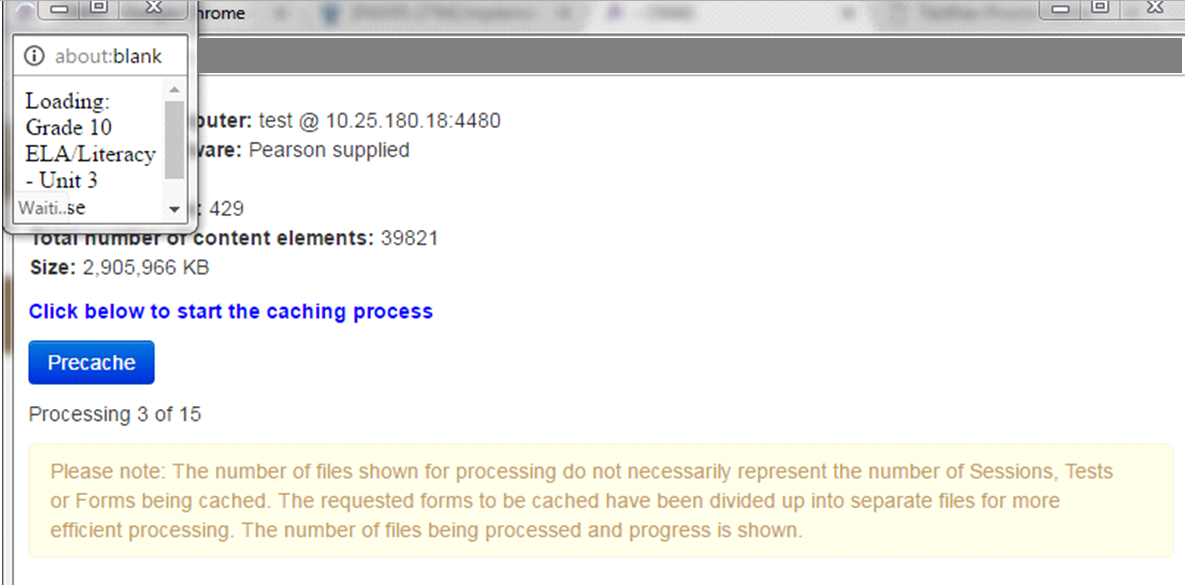
The TestNav status window reflects the precaching status.
OnceAfter processing is complete, close the pop-up window.
| Expand | ||
|---|---|---|
| ||
| ||
| Expand | ||
Safari 9
Precaching
of the contentstarts.
| Expand | ||
|---|---|---|
| ||
|
The TestNav status window reflects the precaching status.
OnceAfter processing is complete, close the pop-up window.
| Expand | ||
|---|---|---|
| ||
|