
...
You can enter enrollments (counts of student registration data) to order materials, such as test booklets for paper tests.
Enrollment counts refer to the number of students that will be taking the test. Enrollment counts for most organizations are calculated from student data and test assignments. The test assignments are used to determine the types and quantities of paper testing materials.
| Expand | ||
|---|---|---|
| ||
|
...
Step-by-Step
...
| size | medium |
|---|

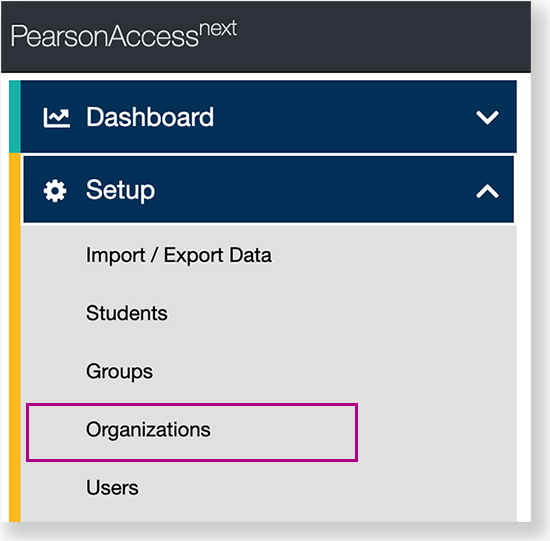
From Setup, click Organizations.
Expand title View center navigation... 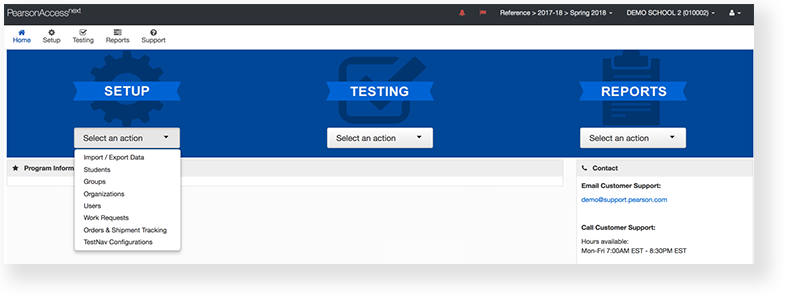
...
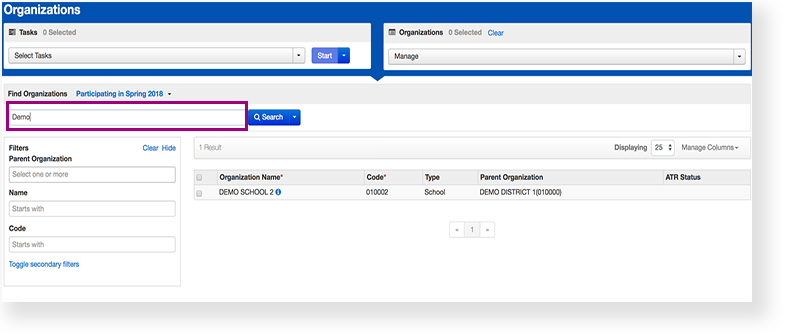
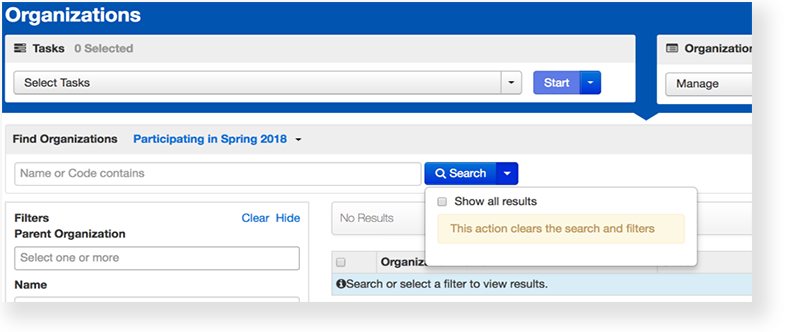
- Type an organization into the search field, and click Search.
...
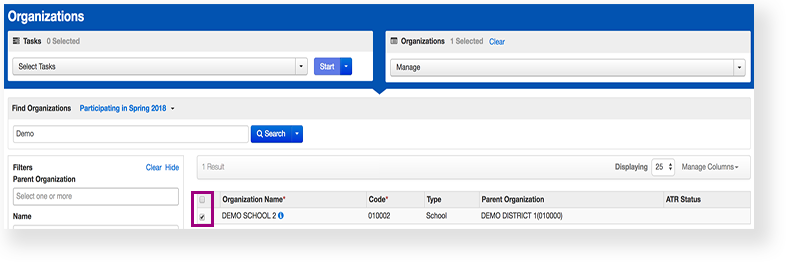
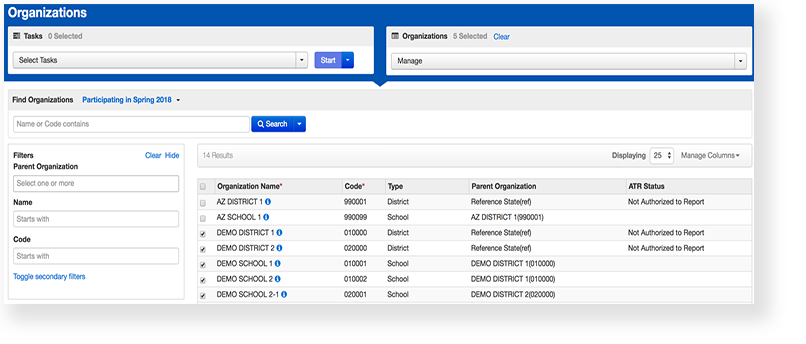
- Click the checkbox next to an organization.
...
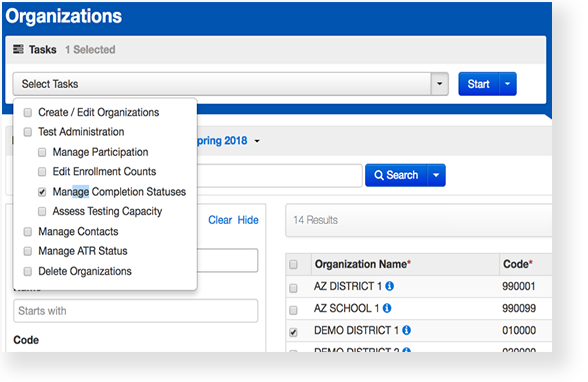
- Click Select Tasks, click Edit Enrollment Counts, and click Start.
...
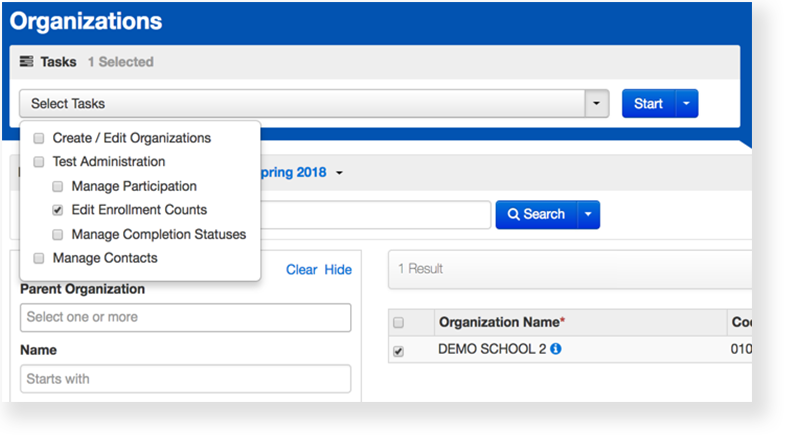
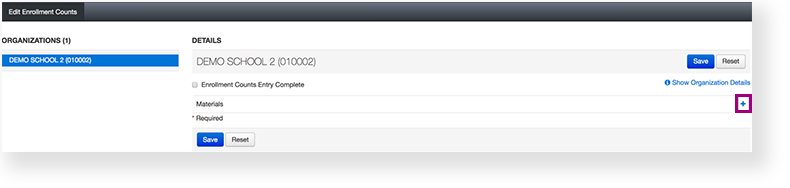
- Click the + to expand the available materials.
...
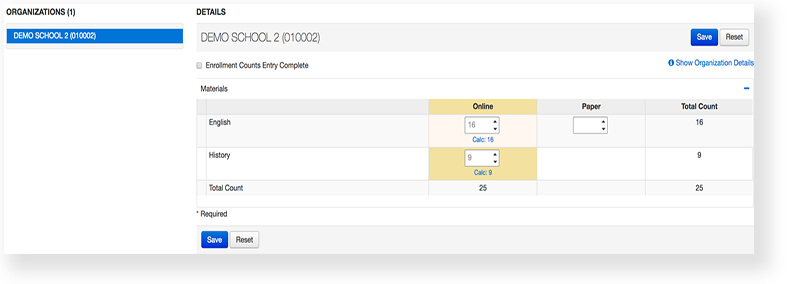
- Click the arrows to adjust the amount of materials in each box.
...
- Click Save.
...
...
| type | info |
|---|
...
Effects
| Expand | ||
|---|---|---|
| ||
You or authorized users can review and update enrollment counts until a specified closing date. On the closing date, an order for test materials is automatically submitted and materials are shipped to schools before the scheduled testing windows. |

...
What's Next?
...
| type | tip |
|---|
Next Steps
| Expand | ||
|---|---|---|
| ||
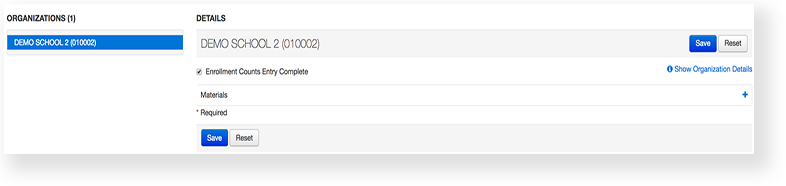
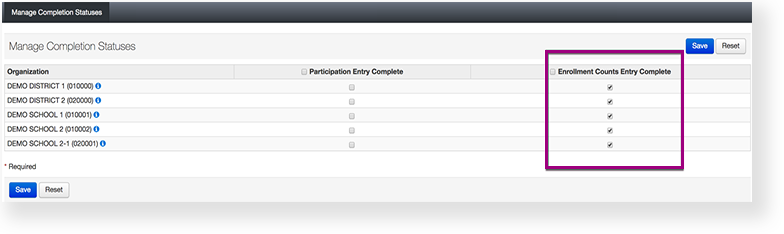
If you are done editing enrollment counts and your organization has entered final figures, click the check box to select Enrollment Counts Entry Complete. |
...
|
| Expand | ||
|---|---|---|
| ||
|
...
|
...
|
...
|
...
|
...
The only difference between Enrollment Counts Entry Complete and Manage Completion Statuses, is the latter lists multiple organizations on the same page. This makes it useful for districts and state level users to view the status of many organizations at the same time. |
...