Page tree

Versions Compared

Key

  • This line was added.
  • This line was removed.
  • Formatting was changed.

...

Include Page_PAsup_reference_PAsup_reference Include Page_PAsup_troubleshooting_PAsup_troubleshootingTo confirm that changes have been applied after registration data changes are made, or to audit the details of changes made such as which user made the changes and the details attached to a student registrationtest, follow these steps:

  1. From Testing > Student Tests, find and select the student whose record you want to audit.
  2. Select Edit Student Tests from the Tasks list and click Start.
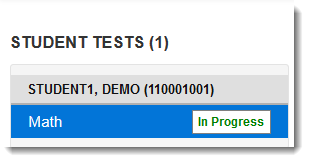
  3. From the information page displayed, under the student's name, select the student test from the Student Tests list.

    Expand
    titleClick here to view a screenshot...


  4. Select Show Audit Trail on the right side of the page.

    Expand
    titleClick here to view a screenshot...

     Image Removed

    Include Page
    IR:_PAsup_showAuditTrail
    IR:_PAsup_showAuditTrail

...