
 Feature availability varies by program and role.
You can request that the parent organization authorize you to proceed with report processing when you have accounted for assessment data and determined it is ready for reporting.
Step-by-Step
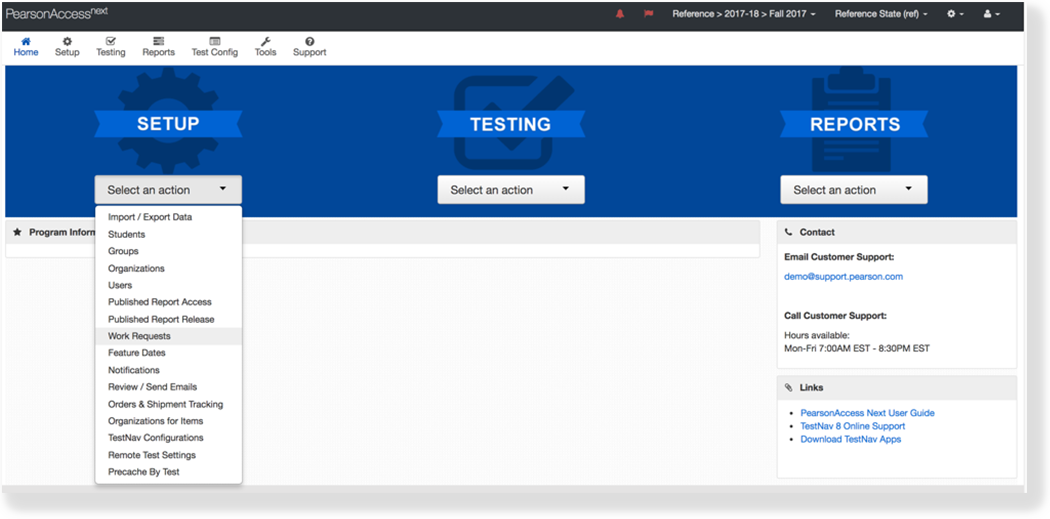
- From Setup, select Work Requests.
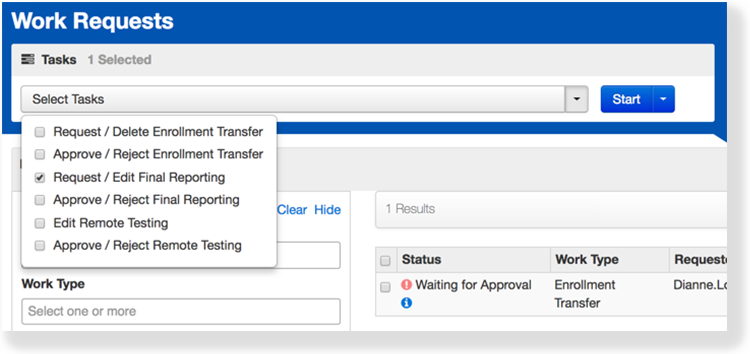
- Click Select Tasks, select Request / Edit Final Reporting, and click Start.
- Select the organization.

Click Send Request.

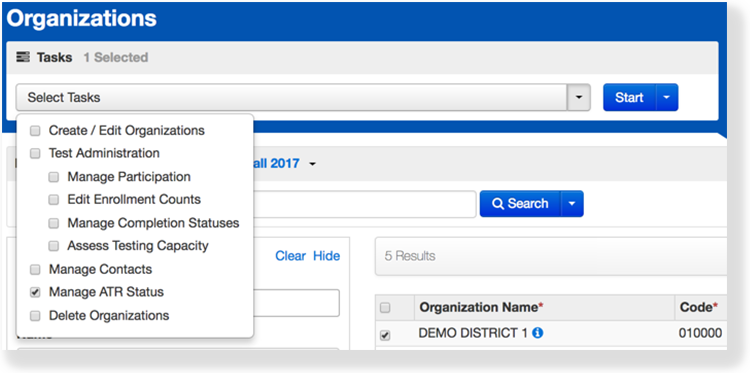
You can also request authorization through the task Manage ATR Status.
Effects
When an organization requests Authorization to Report (ATR) for a test administration, the administration level data becomes Read Only, until approved.
...
Option - Request Through Organizations
To request authorization using Manage ATR (authorization to report), follow these steps:
From Setup > Organizations, search to find your organization or click the down arrow next to the Search button and select Show all results. Select the organization.
...
| title | Click here to view a screenshot... |
|---|
...
Click the Select Tasks drop-down and select Manage ATR Status. Click Start.
...
| title | Click here to view a screenshot... |
|---|
...
Select the organization and click Request Authorization.
Option - Request Through Work Requests
To request approval using Work Requests, follow these steps:
...
From Setup > Work Requests, click the Work Type filter and select Final Reporting. Select your organization.
| Expand | ||
|---|---|---|
| ||
Click the Select Tasks drop-down and select Request / Edit Final Reporting. Click Start.
...
| title | Click here to view a screenshot... |
|---|
...
Select the organization and click Send Request.
| Expand | ||
|---|---|---|
| ||
Related Information
To understand more about organizations, see Manage Organizations.
To learn how to request authorization to report, see 3.1 NEW Request Authorization for Reporting.