
Anchor
 Feature availability varies by program.
You can enter monitor scores to compare the scores entered by teachers and test proctors. This helps you to monitor the accuracy of score entries. This task is similar to hand-entering scores; however, these scores are entered by a non-involved third party.
Step-by-Step

 to view image)
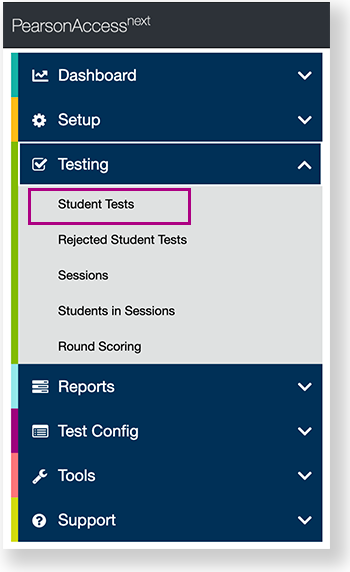
From Testing,select Student Tests
.
Expand title View center navigation... 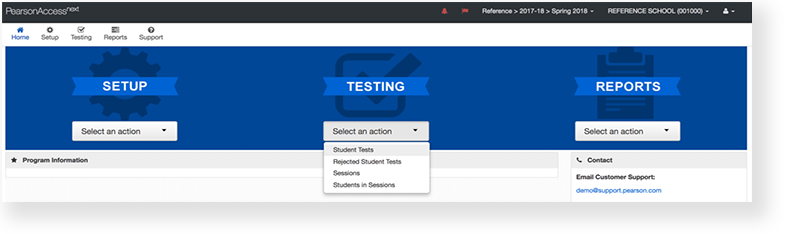
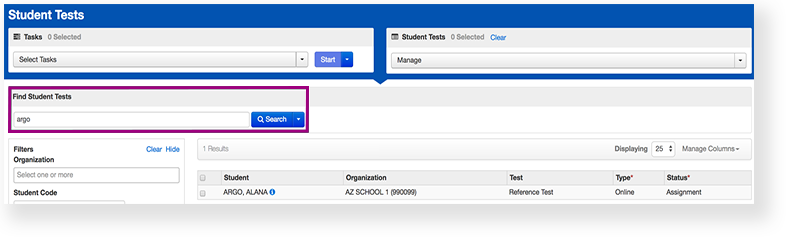
Type a student name into the search field, and click Search.
Click the checkbox next to the student test.
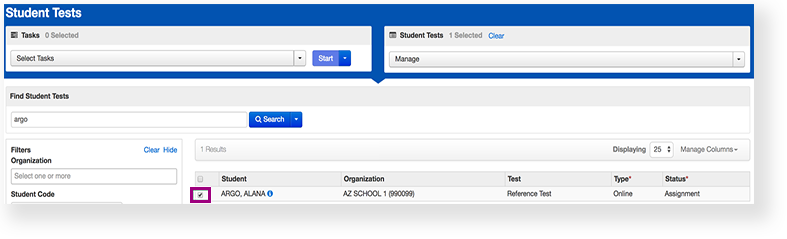
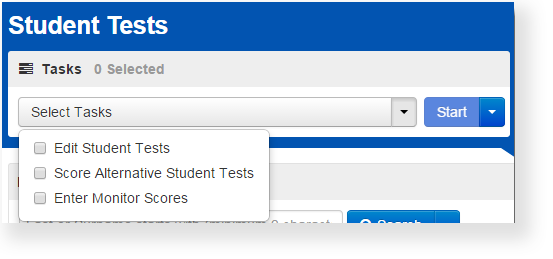
- Click Select Tasks, select Enter Monitor Scores, and click Start.
Select or type the required details and scores.
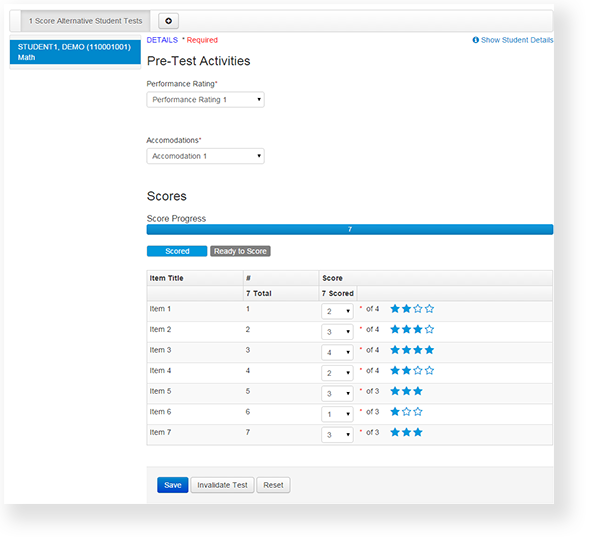
Click Save.