

Technical Bulletin
Published: January 2331, 20222024
What is happening?
Pearson support is notifying programs of two updates that affect those using iPads for secure testing:
- iPadOS is requiring iOS 17.3 (or above) as the minimum version for customers testing on iOS 15, and will make a TestNav patch available to block iOS versions 15.0 and 15.1 in the coming weeks.
- Apple released this operating system (OS) update on January 22. Pearson strongly recommends updating to this version if testing on devices running iPadOS 17. Improvements made in this version will provide programs the most stable and efficient testing experience. Schools that prefer not to update devices, should contact Pearson support for guidance on testing on earlier versions of iPadOS 17.
Those testing on iPadOS 15 and 16 do not need to take action on this update.
- TestNav app for iPadOS - Pearson plans to release this required TestNav app update (iPadOS only) on Jan 31 at 6 p.m. CST. The update to version 1.12.6 improves TestNav security performance.
Programs with auto-update enabled do not need to take any action to receive this update.
What does this mean?
Pearson will schedule an update for each testing program's production site once the patch is available for deployment.
This will prevent TestNav from running on iOS versions 15.0 and 15.1.
iPadOS 17.3 -Those using iPadOS 17 should use the instructions below to update to iPadOS 17.3 for optimal TestNav performance during secure testing. Customers running iPadOS 17 that experience any issues can contact Pearson support.
TestNav app for iPadOS - Programs with auto-update disabled on testing devices should use the applicable instructions below to manually take the TestNav for iPadOS patch update.
What do I need to do (and how do I do it?)
?iPadOS 17.3 update instructions -Programs using iOS 15 iPadOS 17 should update all iPads to iOS 15.2 or above, or iPadOS 17.3 or continue using supported iOS iPadOS versions lower than iOS 15.
No action is required for the upcoming TestNav patch update.
iPadOS 17.
Click to enlarge images.
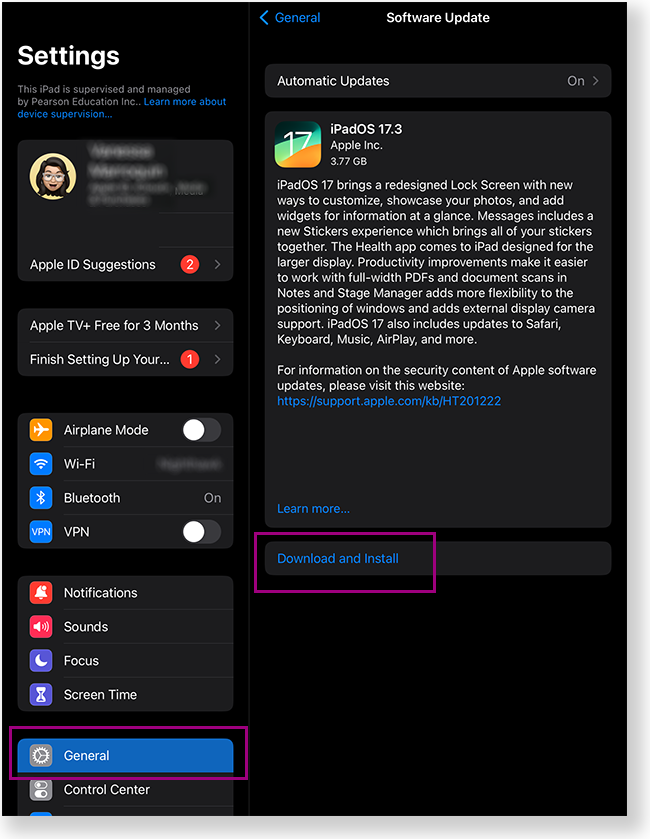
To update to iPadOS 17.3:
Steps for going to Settings > and getting- Go to Settings > General > Software Update.
- Confirm that the available update is
- iPadOS 17.3
- .
- Tap Download and Install.
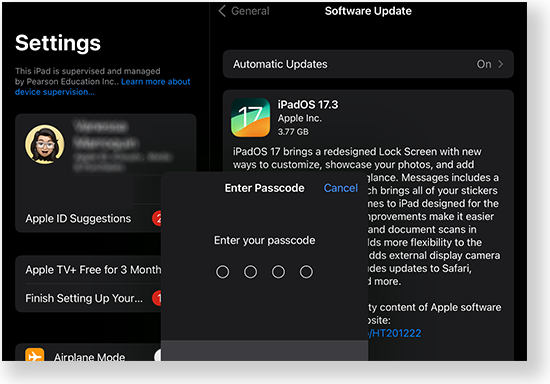
- Enter the device passcode.
TestNav app for iPadOS instructions - All programs using TestNav for iPadOS are required to take the patch update.
| Info | |||||
|---|---|---|---|---|---|
| |||||
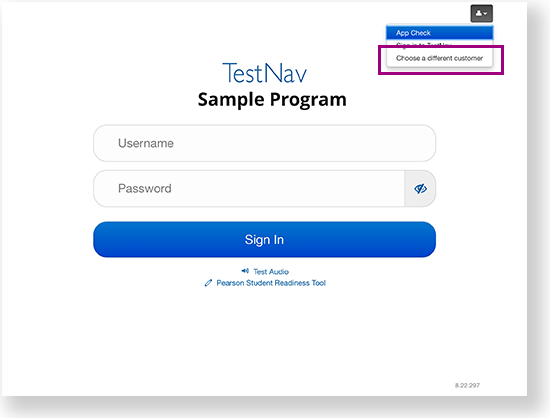
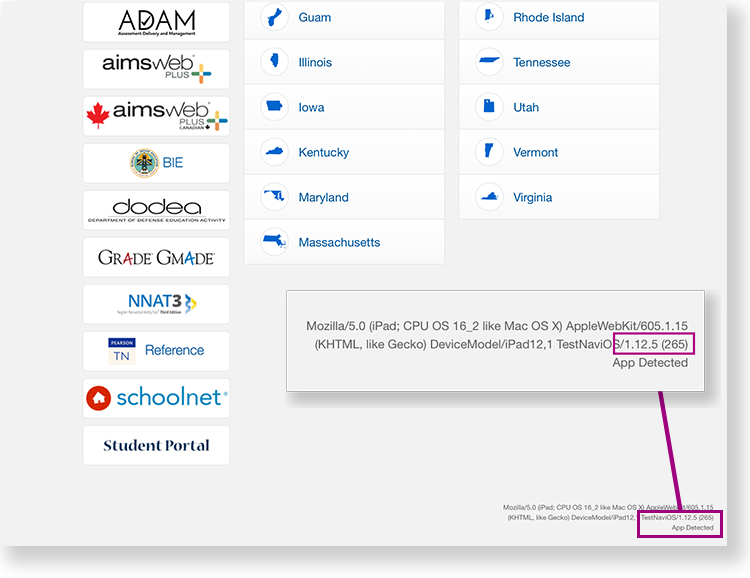
Before you follow the steps below, confirm the TestNav app version on the bottom-right of the TestNav home page. If your program was previously selected, go to the user dropdown and select Choose a different customer to view the home page. If the home page displays v1.12.5, and your program has auto-update disabled, follow the steps below to download v1.12.6.
|
- Search for the TestNav app and press and hold it until a menu appears.
- Then, select Remove App > Delete App > Delete.
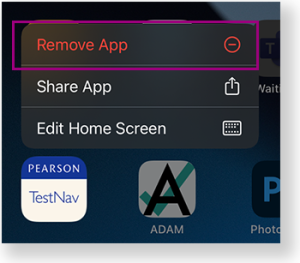
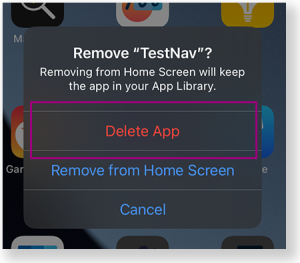
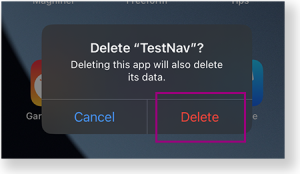
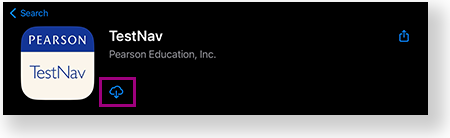
- Go to the App Store, search for TestNav, and tap the Download button to re-install the app.
Tiny link: https://support.assessment.pearson.com/x/kwASC
Then, steps for going to App Store and going to TestNav to delete and download the latest TestNav version.
If they have auto-update enabled, they don't have to take any action.