
For step-by-step setup instructions, click the links below. You can also read further on this page for a detailed overview on installable TestNav, App Check, and saved response file (SRF) and log files.
| Note | |||||
|---|---|---|---|---|---|
| |||||
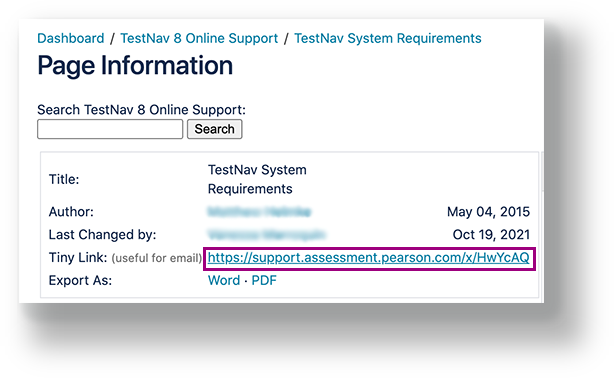
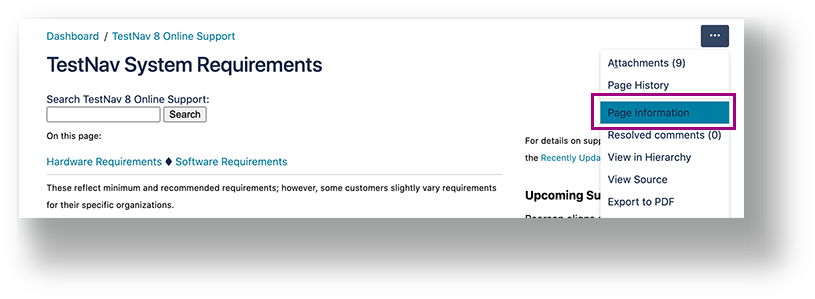
Some page names in this section (listed below) have recently changed. To link to a page, you must use the tiny link to avoid a broken link when a page name changes.
|
- Set Up TestNav on OS X, macOS
- Set Up TestNav on Windows
- Set Up TestNav on Linux
- Set Up TestNav on Android
- Set Up TestNav on Chrome OS
- Set Up TestNav on iOS
| Excerpt | ||||||
|---|---|---|---|---|---|---|
This section includes installation and setup guidelines by operating system and explains which tasks apply only to a specific test management system (PearsonAccessNext or ADAM).
|
Wireless Testing Best PracticesIf you're testing wirelessly, use the following best practices:
|
...
Understand App CheckYou can find App Check on the TestNav Sign In page. App Check confirms that the device or computer can connect to TestNav and that it is configured to start TestNav in kiosk mode. An optional configuration identifier may be entered to validate additional TestNav configurations from the assessment management system. See |
...
...
| Note |
|---|
App Check does not check screen size or resolution. If a student attempts to sign in to a test on a device that does not meet support minimums, TestNav may display an error. See TestNav System Requirements for support minimums. |
...
for details. |
Understand SRF and Log FilesFor details, see Set Up and Find Saved Response Files (SRF). |
...
Tiny Link: https://support.assessment.pearson.com/x/HgACAQInclude Page