...
Depending on your testing program's specifications
...
, you may be able to view paper test scans after the paper test is processed. After these scans are
...
created, you can download PDF files
...
To view answer document scans, follow the steps on this page:
From Testing > Student Tests, search to find the student test(s) you want or click the down arrow next to the Search button to reveal and select the option to show all results.
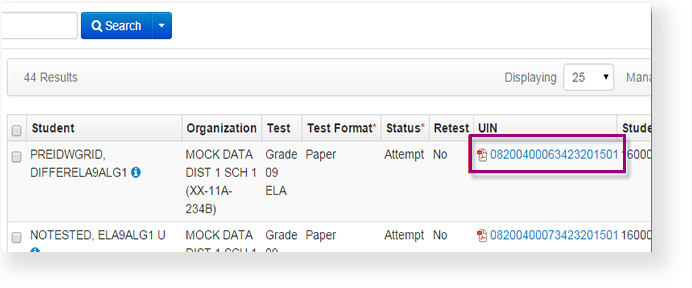
Expand title Click here to view a screenshot... Find the column that contains the PDF link and click the link. The label for the column and the title of the document may be different for each testing program, but it will look like this.
Expand title Click here to view a screenshot...
Related Information
What portion of the test booklet scan may be provided is variable, based on your testing program contract. It may include something like these examples:
- Entire test booklet
- Demographic information only
- Performance item (handwritten) responses only
...
.
| Expand | |
|---|---|
|
...
The following example images are only partial page samples taken from full page samples. The actual PDFs you download will be full-page images.
| |
It may include the:
|
Step-by-Step
From Testing, select Student Tests.
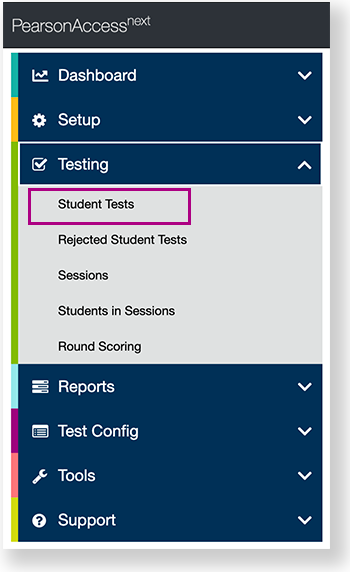
Expand title View center navigation... 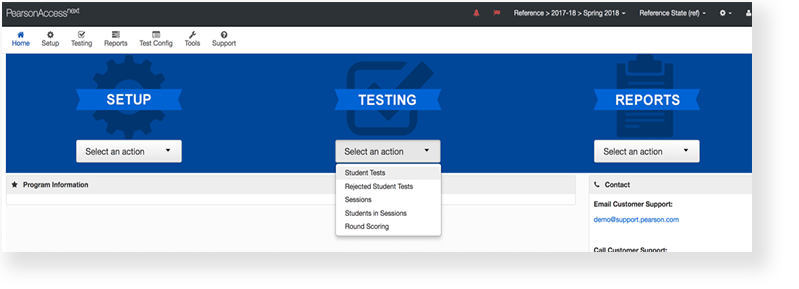
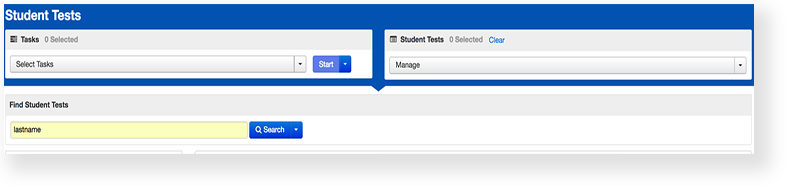
Type a student name into the search field, and click Search.
Click the PDF link in the student's row. Column and document names vary by program.