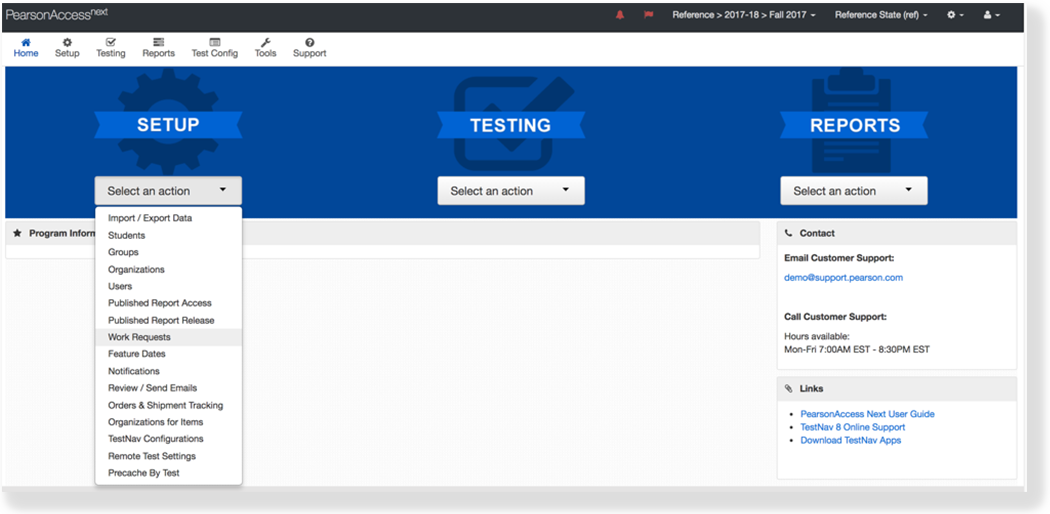
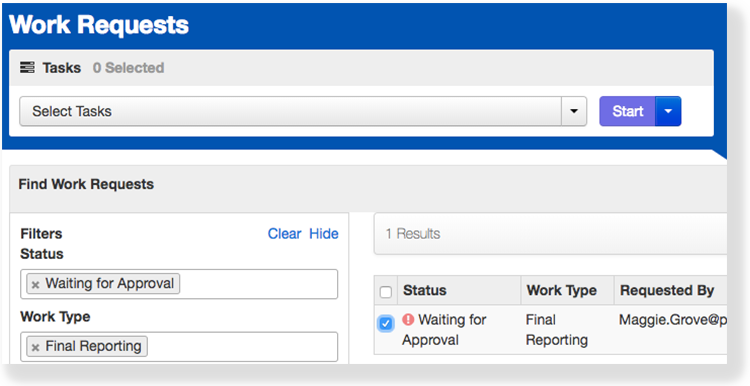
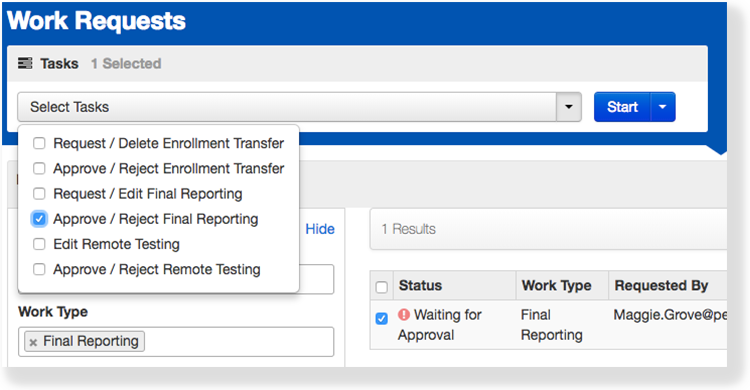
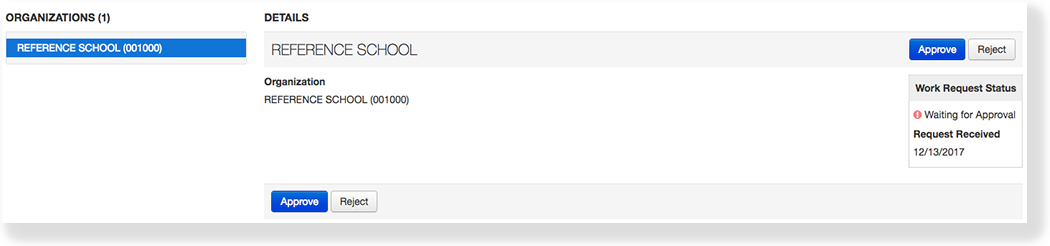
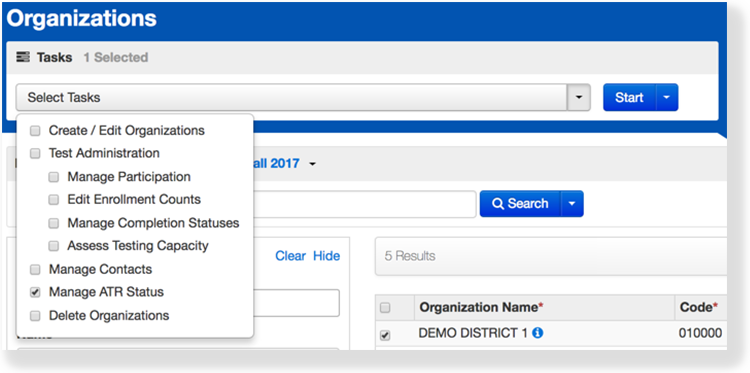
PearsonAccess Next Online Support Reporting Current: Authorize Request to Report Authorize Request to Report Feature availability varies by program and role.You can authorize a request for an organization to proceed with report processing when the assessment data is ready for reporting. Step-by-Step From Setup, select Work Requests.Click the checkbox next to your organization. To limit the requests displayed, click the Work Type filter, and select Final Reporting.Click Select Tasks, select Approve / Reject Final Reporting, and click Start.Click Approve or Reject, as appropriate.You can also approve or reject a request to proceed with reporting from within organizations by selecting Manage ATR Status. EffectsTo view pending enrollment approvals, click the red bell icon at the top of the page, and click Reporting Requests. ×
 Feature availability varies by program and role.