-
Created by
 user-6d962, last updated by user-760ba on Jan 30, 2026
2 minute read
user-6d962, last updated by user-760ba on Jan 30, 2026
2 minute read
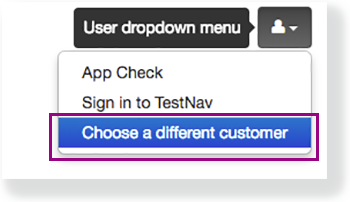
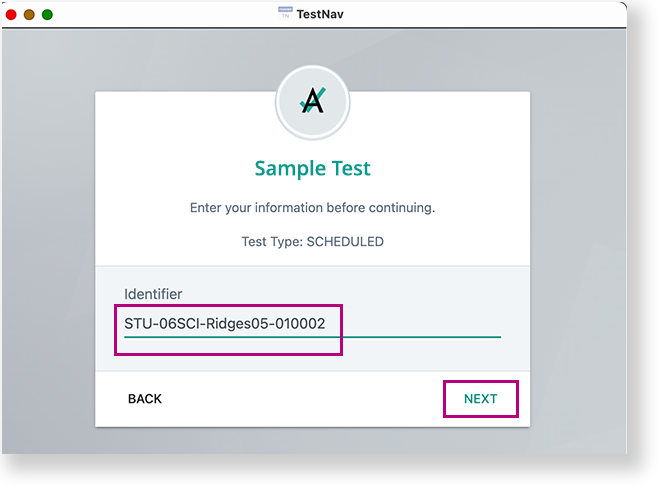
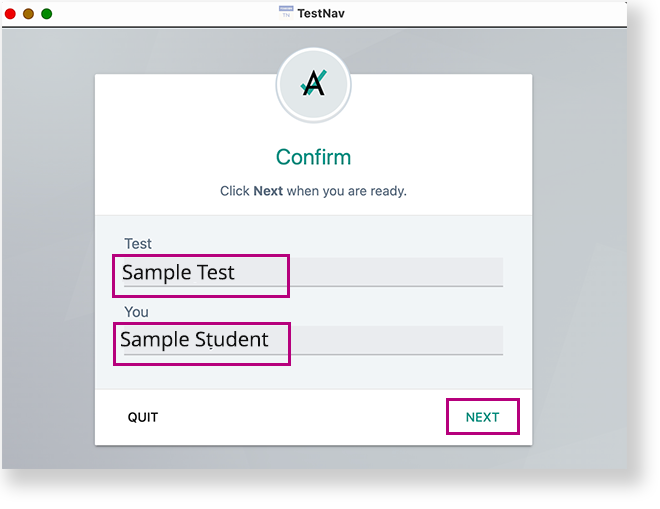
This page pertains to ADAM tests being delivered via the TestNav Secure Browser. To access an assigned test via the TestNav app, students need to: Listen to directions from the test proctor on which option to choose on the TestNav selector page, if applicable (Step 4). Select the selects appropriate tile as directed in Step 1 (for example, Student Portal or their state) on the TestNav home page. (Note: If the tile was selected previously on the device, the student will skip to the next step.) If the student credentials entered match what is on the test card and were entered correctly but the students can't log in, the most likely cause is that the student clicked another tile on the TestNav selection page. In order to switch to the Student Portal, select the menu in the upper-right, and select Choose a different customer.
Note: If the student selects a different link, see What to Do if the Student Picks the Wrong Tile.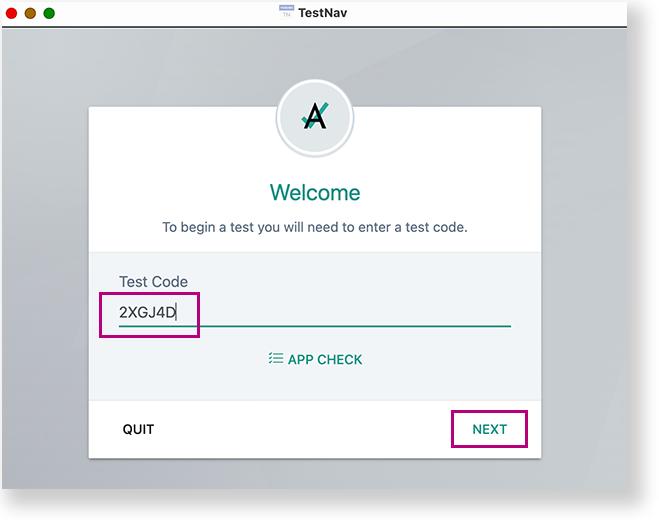
What to Do if the Student Selects the Wrong Organization Tile