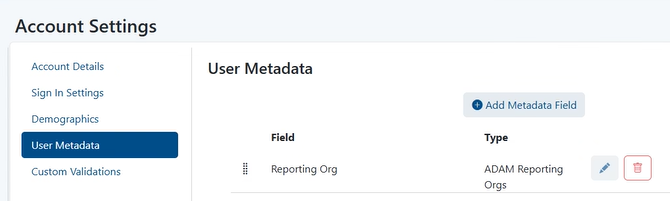
Some users have rights to view, or also edit, the reporting organization for a student. Reporting Org can be modified when the default school associated to the student does not match where they should appear in reports.
See also: Student Mobility Considerations
General Principles Around Reporting Organization
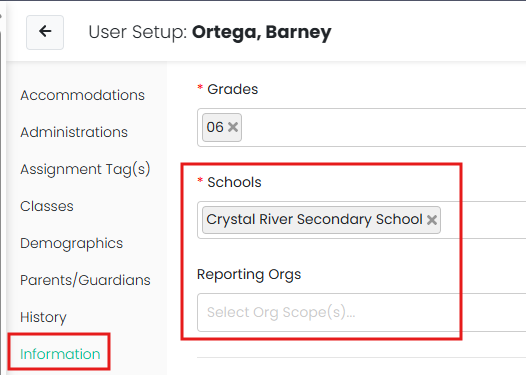
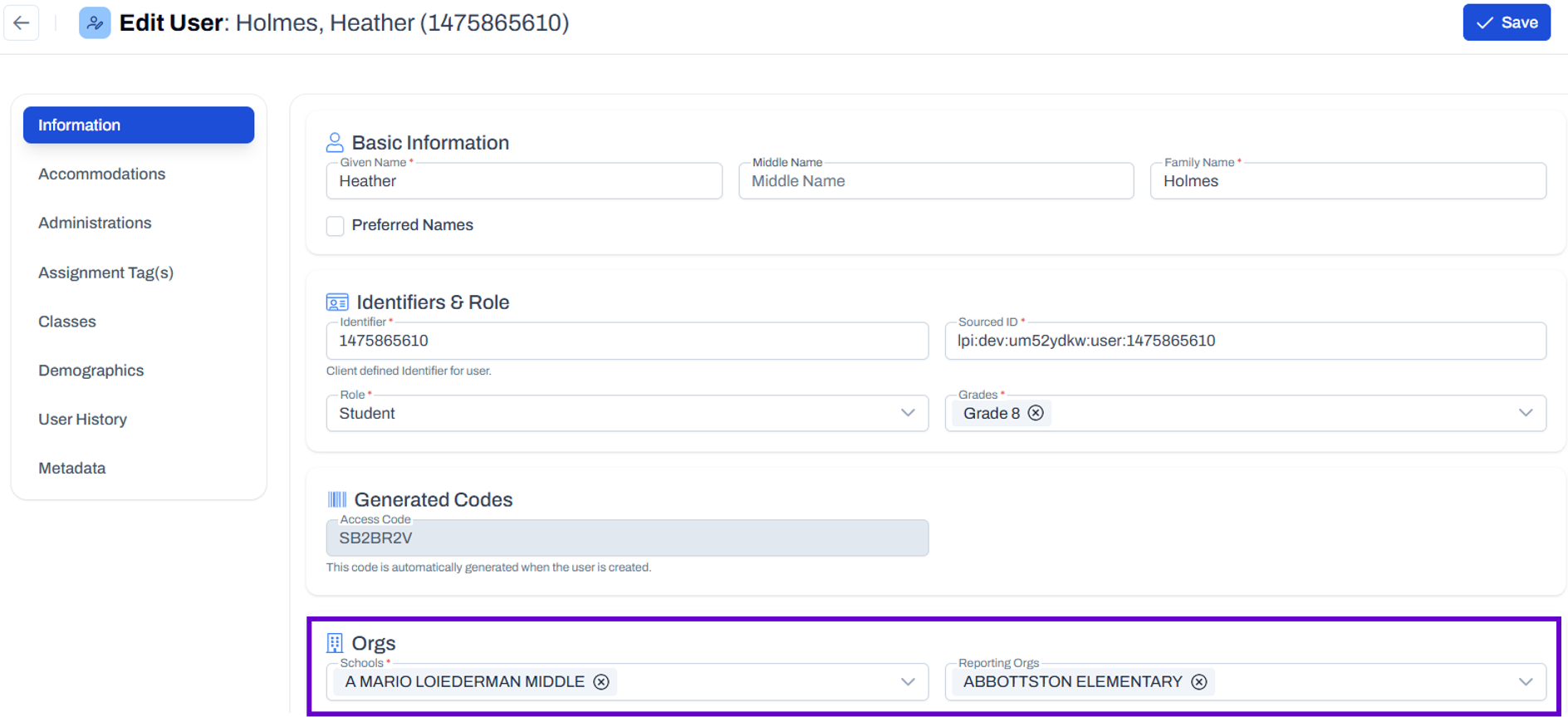
- For a student who is enrolled in one school, the enrolled org is assumed to be the reporting org; no action is required. In the example below, Crystal River is the student's enrollment school and Reporting Org, even though it only shows in the School field. If there is a different school in the Reporting Org field, both the school in the Schools field and the one in Reporting Orgs field are considered reporting organizations. This means the student will be reflected in both school's results, although district level results will only count the student once.
Classic User Interface:
Updated User Interface:
- Once a student moves to a new school and the change is reflected in the Schools field, all sessions with a status of 'Not Started' will automatically consider the new school as the Reporting Org; no action is required.
- If a student starts testing before their new enrollment appears in ADAM, authorized users can set the Reporting Org at the session level for the specific test.
Identify Students Associated with Multiple Testing Organizations
To facilitate data review, Session Explorer provides a filter to view all students with more than one associated organization.
1. Navigate to Operations > Session Explorer.
2. Filter as needed on Program or Test Name.
3. In Advanced Filters, select Multiple Reporting Org and/or Enrolled Orgs/Reporting Orgs Mismatch.
Classic User Interface:
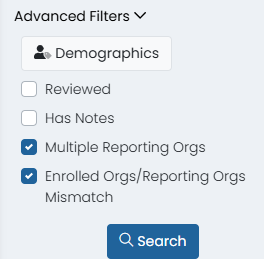
Updated User Interface:
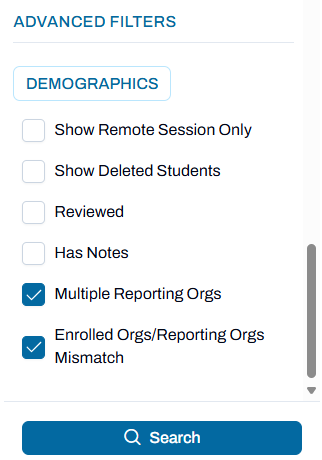
4. Select Search.
Change Reporting Org for a Student for One Session
Once a student starts a test, the only way to modify their reporting school is at the session level. This applies to every status except 'Not Started.' This can be done from the Student Dashboard, 'Rostering > Users > Administrations' and Session Explorer.
To change Reporting Org from within Session Explorer:
1. Navigate to Operations > Session Explorer.
2. Locate the student session using the filters provided.
3. In the Actions menu for a session, choose 'Select Reporting Orgs.'
4. Select a school and select Save.
Bulk Upload Reporting Org at the Session Level
Permissioned users can bulk update reporting orgs from Session Explorer. The feature creates a template for a user to fill out and upload to modify the reporting org on existing sessions.
1. Navigate to Operations > Session Explorer.
2. Filter as needed to desired student set. It is okay to include students who do not need any changes.
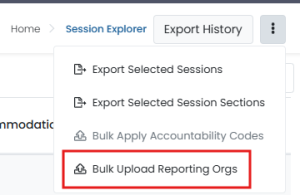
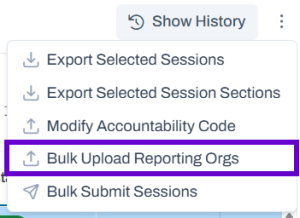
3. In the Actions menu, select Bulk Upload Reporting Orgs.
Classic User Interface:
Updated User Interface:
4. Follow the instructions on-screen. You may be prompted to remove leading zeros - do not convert.