To confirm that changes have been applied, or to audit the details of changes such as which user made the changes, follow these steps:
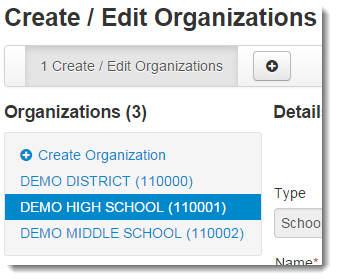
From the information page displayed, select the organization from the Organizations list.
|
Select Show Audit Trail.
|