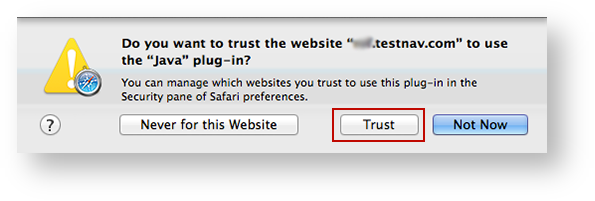
If a notification appears asking you whether to trust your secure test website to use Java, click Trust.
|
You may also see one of the following notifications depending on which Safari version you use.
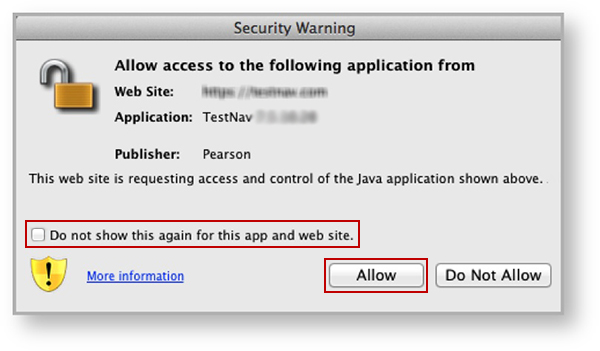
If you see the Security Warning notification:
Click Allow to continue to TestNav and TestNav SystemCheck.
|
If you see the Do you want to run this application? notification:
Click Run to continue to TestNav and TestNav SystemCheck.
|
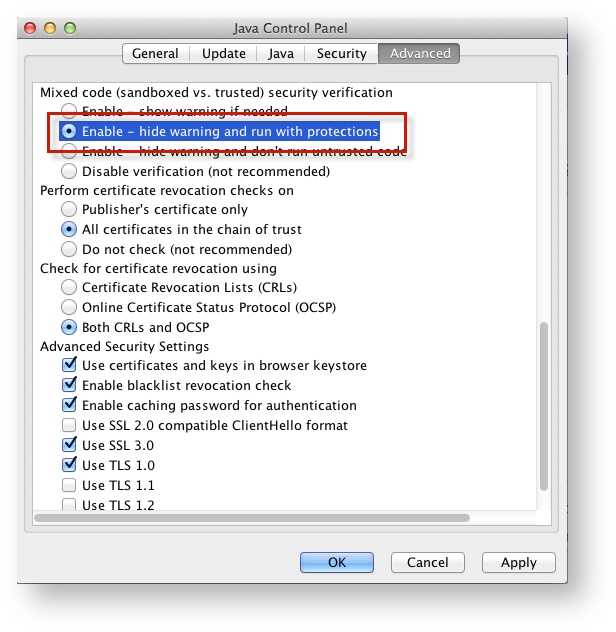
Click Advanced.
Select Enable - hide warning and run with protections:
|
To enable pop-up windows for TestNav:
| Operating System | SRF Location | Log File Location |
|---|---|---|
| Mac OS X | Users/username/Pearson/... | /Users/<username>/Pearson/first name-last name-identifier/logs For example: /Users/UserA/Pearson/User-A-1234/logs |