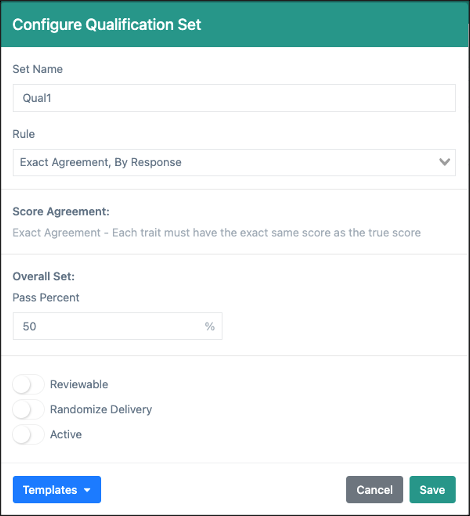
Navigation: Quality Management> QC> Setup> Qualification (tab)> Add New Set (button)
From the QC Setup page, Qualification sets can be created to use when a item's Qualification settings are enabled. A Qualification set is a number of responses that are either Escalated from Scoring or the Auditing page or are loaded directly into the Qualification set from outside of OSCAR. Qualification responses are saved to a set and their true scores configured using the Manage Responses feature. Each set must have a scoring Rule and a Pass Percent configured that will determine if raters successfully pass the set. Qualification sets will not be be fed to scorers until the set is made Active from the Set Options. Qualification sets will follow a set of rules and processes when used or a Qualification Set Workflow.
The set rule will determine how results are calculated for meeting the Pass Percent. There are five rule settings available in the Qualification set:
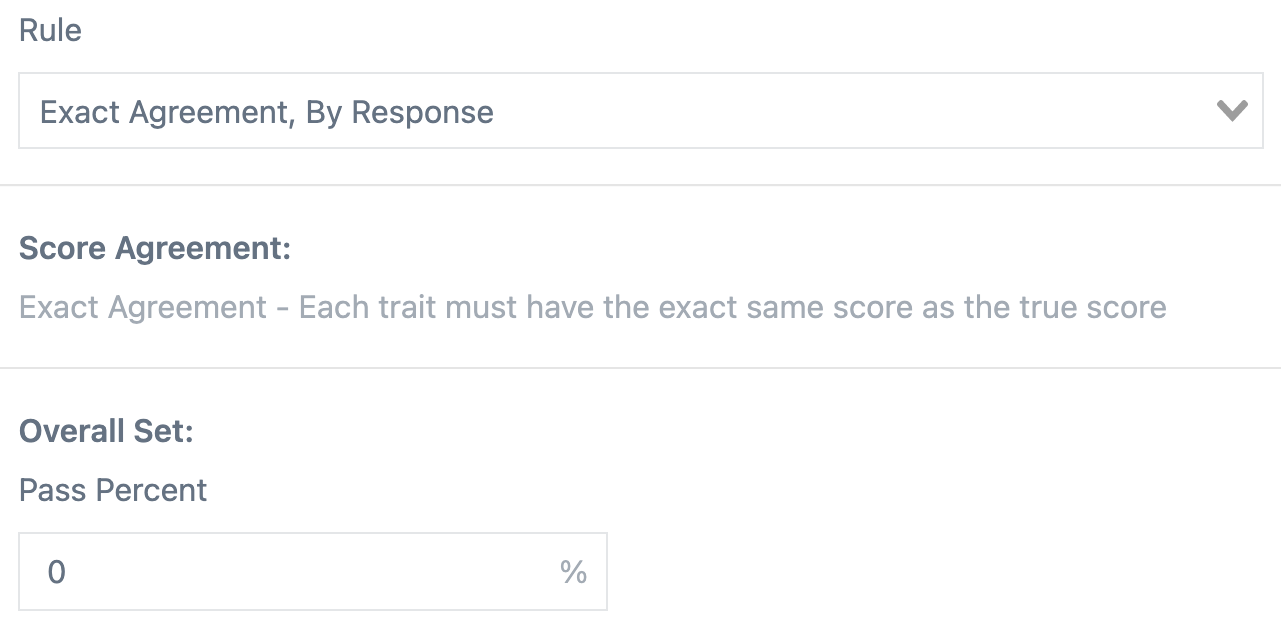
Exact Agreement, By Response: The rater's score on each response must have the exact same overall score as the true score for the response to be counted as correct.
Exact Agreement, By Trait: The rater's score on each trait must have the exact same scores as the true score to be counted as correct.
Exact/Adjacent, By Response: The rater's overall score on each response must be within 1 point of the overall true score for the response to be counted as correct.
Exact/Adjacent, By Trait: The rater's score on each trait must be within 1 point of the true score to be counted as correct.
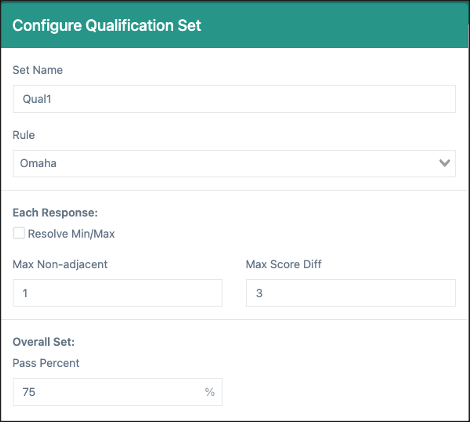
Omaha: Customize the maximum overall difference in score allowed (Max Score Diff) and the number of non/adjacent trait scores (Max Non-adjacent) to determine if the response is counted as correct.
For each set, determine what percentage (correct/total) of responses must be correct for a rater to pass. Pass Percent can be set when Exact Agreement, By Response and Exact/Adjacent, By Response rules are selected.
When trait rules are selected, the passing percentage will be determined at the trait level rather than by the response (correct trait scores/total trait scores). Along with a pass threshold, a minimum threshold can also be set. Both settings will apply to all traits on the rubric. Percentage of Scores Overall and Minimum for each Trait can only be set when Exact Agreement, By Trait and Exact/Adjacent, By Trait rules are selected.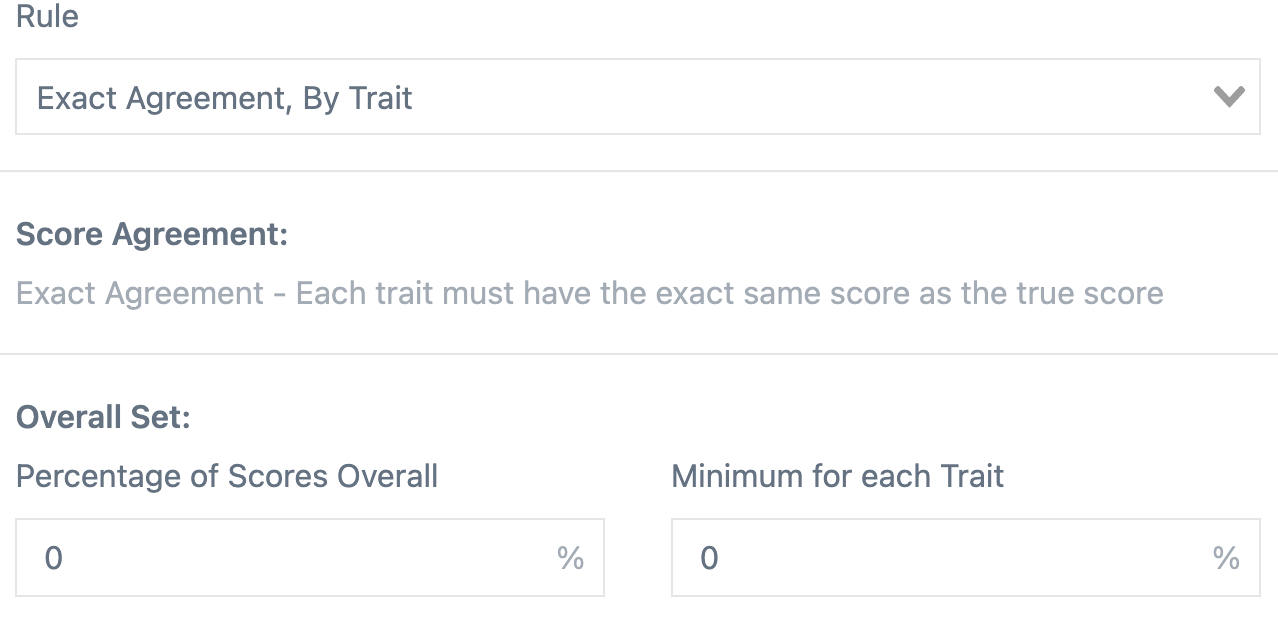
When the Omaha rule is selected, the passing percentage will be determined by the number of correct responses (correct/total), according to the customized rules created. Max Non-adjacent is the number of non-adjacent trait scores allowed on a response and Max Score Diff is the total difference allowed between the overall rater score and the overall true score. If enabled, the Resolve Min/Max checkbox will count each score difference greater than one as a separate non-adjacent towards the Max. For example, if a rater gives a trait score of 1 and the true score is 4, this would count as 2 non-adjacents.
Along with making a set active or inactive, there are two additional toggle options for Qualification sets. The Reviewable option will allow raters to view the response true scores and any feedback/annotations saved to the responses after they've finished scoring all responses in the set. Normally, responses in a set will be fed to raters in the order determined when saving the set responses in Manage Responses. Using the Randomize Delivery option will create a random order for each rater when scoring the set, though the results in QC Reporting will remain in set order.
A template can be created that will save the rule and overall setting combinations. This template can then be used when creating new sets in any section or item.
Along with the options described above, there are a few other processes to note regarding how Qualification sets behave in OSCAR.
Tiny Link: https://support.assessment.pearson.com/x/UYG4D