Use Role Display Name
Role Notes
Roster Integrations
Single File Upload
Authentication
Accounts
Sub Accounts
Roles, Demographic, and Enrollment Record Search
Login As
Launchpad Setup
Role Permissions
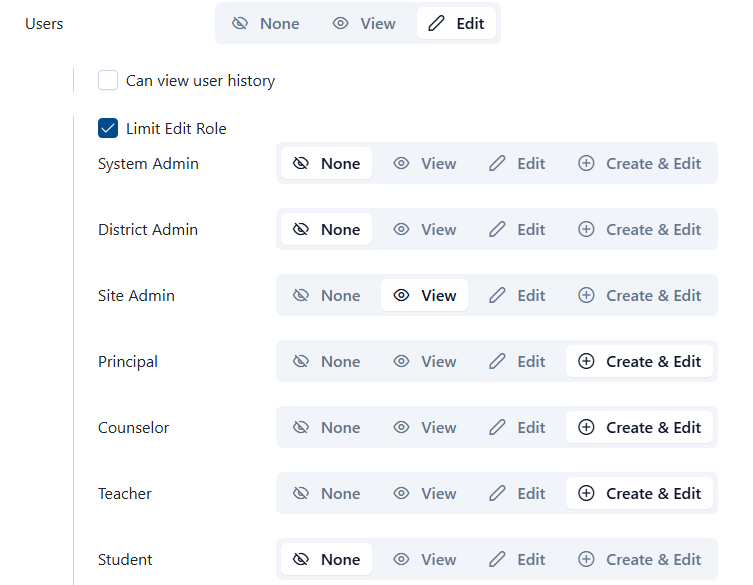
Account role permissions set up has been enhanced. Upon selecting View or Edit for Users (under the Roster Data heading), the Limit Edit Role option displays all available roles. Administrators can then designate which user role groups are visible or editable for this particular role. This configuration restricts the available role and actions when users navigate to the User page under Roster Data. This should be used when the client wishes to restrict certain roles from having access to view certain user types.
Roster Data