Published reports detail the outcomes of individual student assessments as well as summary results of student groups within the customer organization. Authorized users can select the organization type that will have access to these reports .
To release published reports to different organizations, follow these steps:
From Setup > Published Report Release, select the tab corresponding to the organization level to view and provide access to available published reports.
|
Select the reports you want to release to the organizations.
 |
To release individual selected reports, from Give Access To, select the organization type (for example, district, school, or campus).
|
Alternatively, to release all the selected reports, from Release Access for Multiple Reports > Give Access To section at the top, select the organization type.
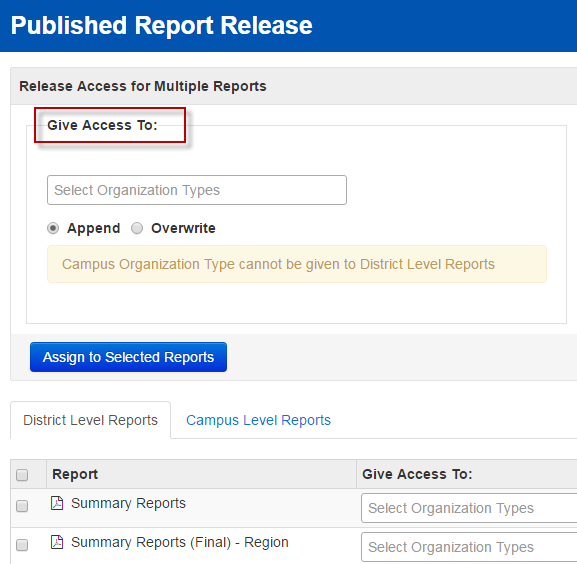 |
Click Save.

