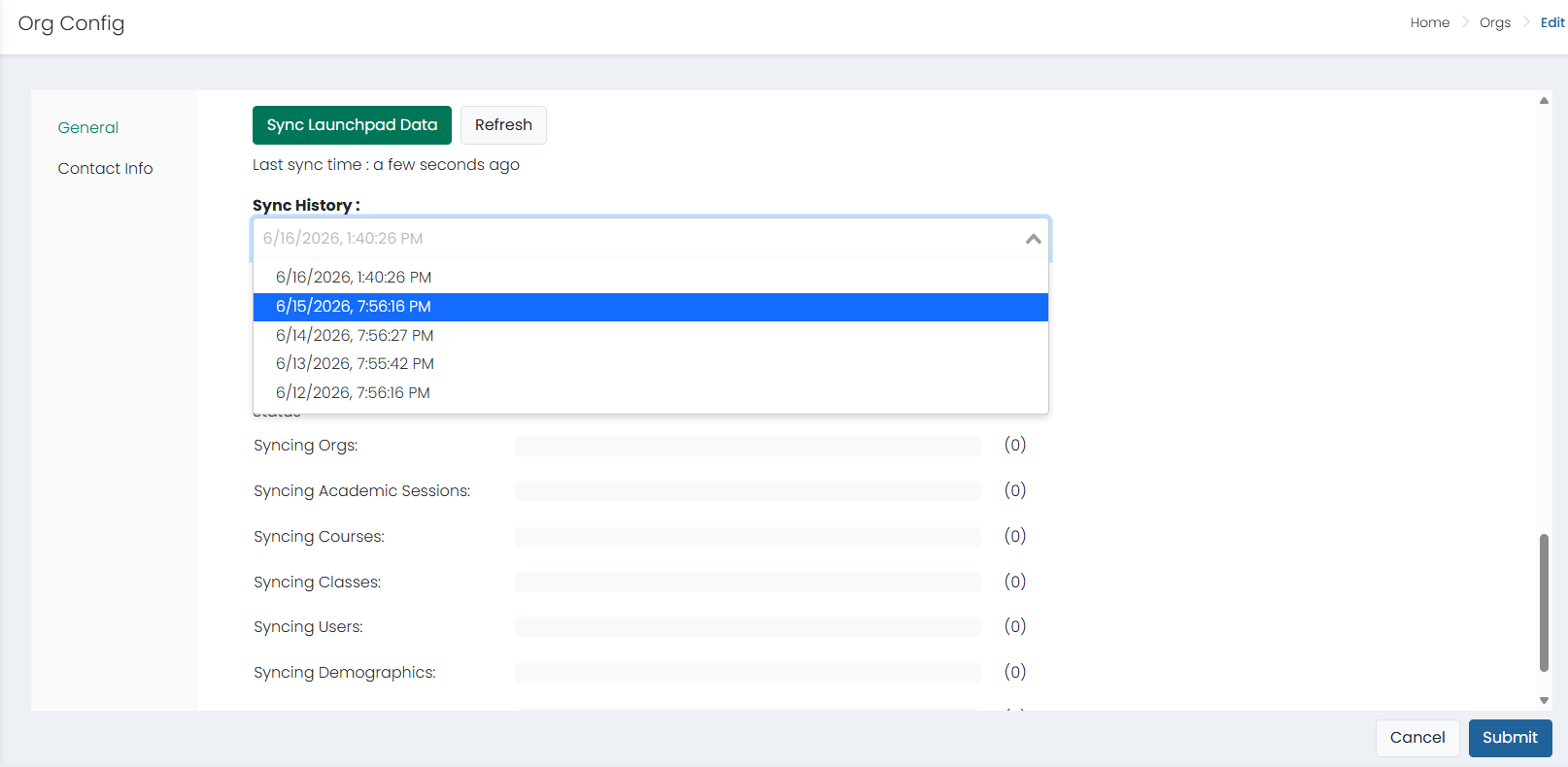
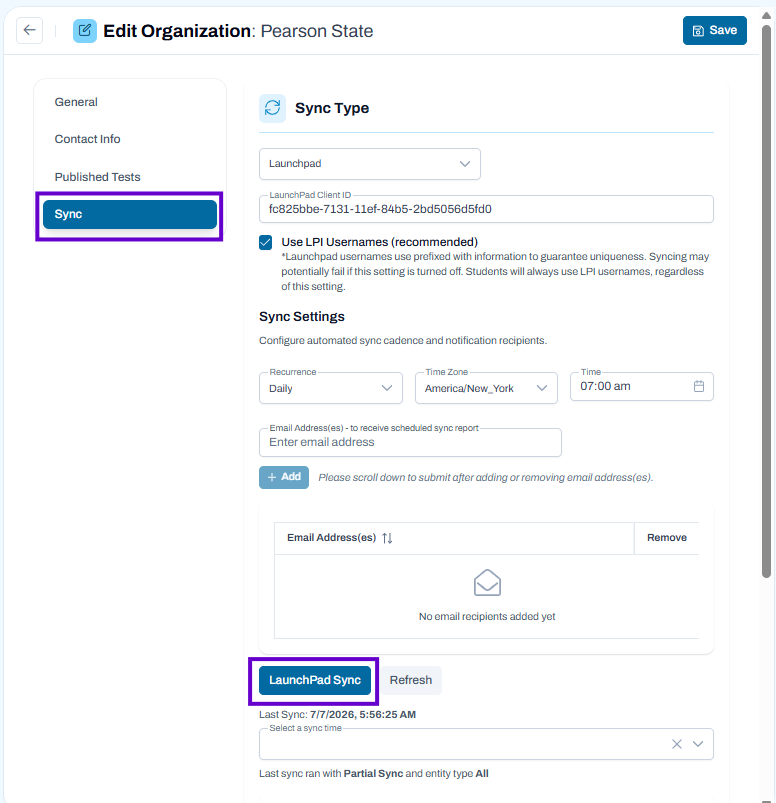
Users with access to the highest level organization can view the history for the last five syncs from LaunchPad, if applicable. The Sync History will update each time the sync is executed and display the most recent five occurrences in a menu for selection. It includes status and error information, making this helpful for troubleshooting data questions.
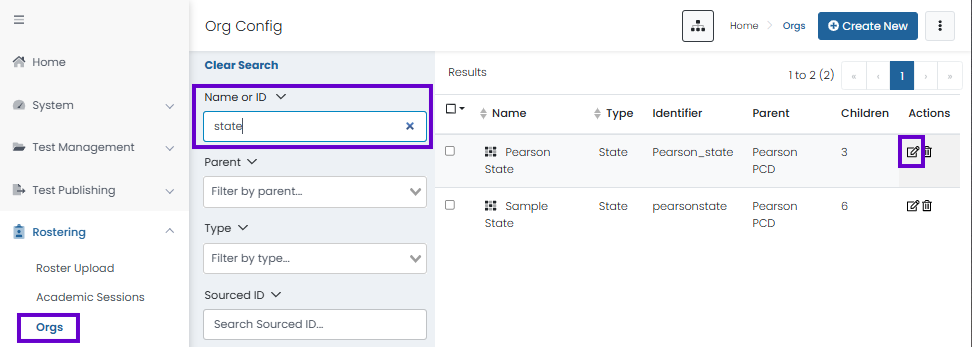
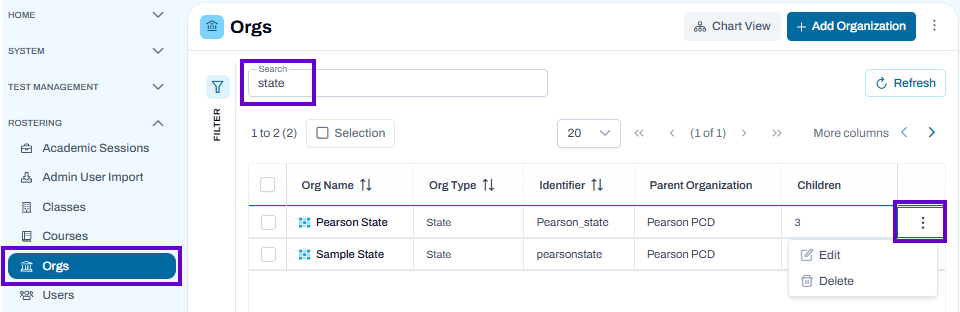
NOTE: This is only available at the state organization level. To access, go to Rostering > Orgs > (State Level Org) > Edit > General.
Classic User Interface:
Updated User Interface:
Tiny Link: https://support.assessment.pearson.com/x/TABaCw