Courses
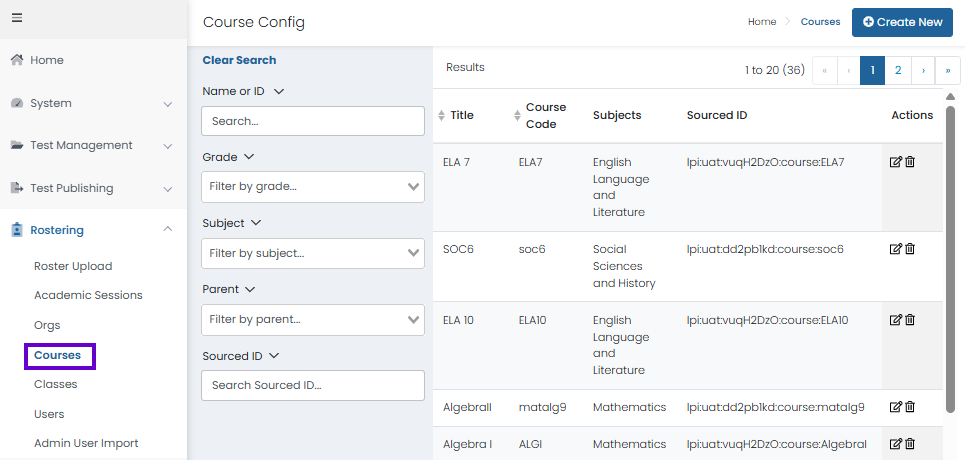
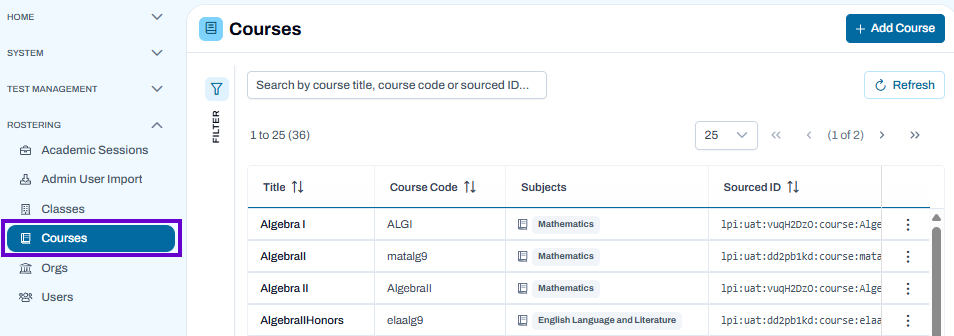
The Courses page is used to view, search, create, and manage courses within the organization. Courses can be filtered by title, grade, subject, parent organization, and sourced ID to quickly locate specific records.
Search for Courses
- Navigate to Rostering > Courses.
- Use one or more filters in the Search panel:
- Name or ID – Search by course title or identifier.
- Grade – Filter courses by grade level.
- Subject – Filter courses by subject area.
- Parent – Filter courses by parent organization.
- Sourced ID – Search by the course's sourced identifier.
- As filters are applied, matching courses are displayed in the results table.
- Select Clear Search to remove all filters and display all available courses.
Classic User Interface:
Updated User Interface:
View Course Information
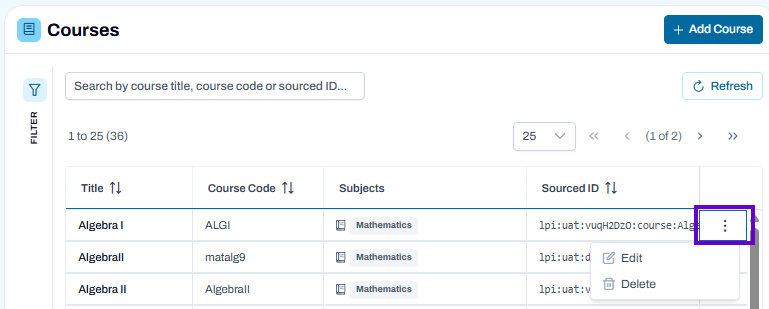
The results table displays key information for each course, including:
- Title
- Course Code
- Subject
- Sourced ID
Use column sorting and page navigation controls to browse the course list.
Create a New Course
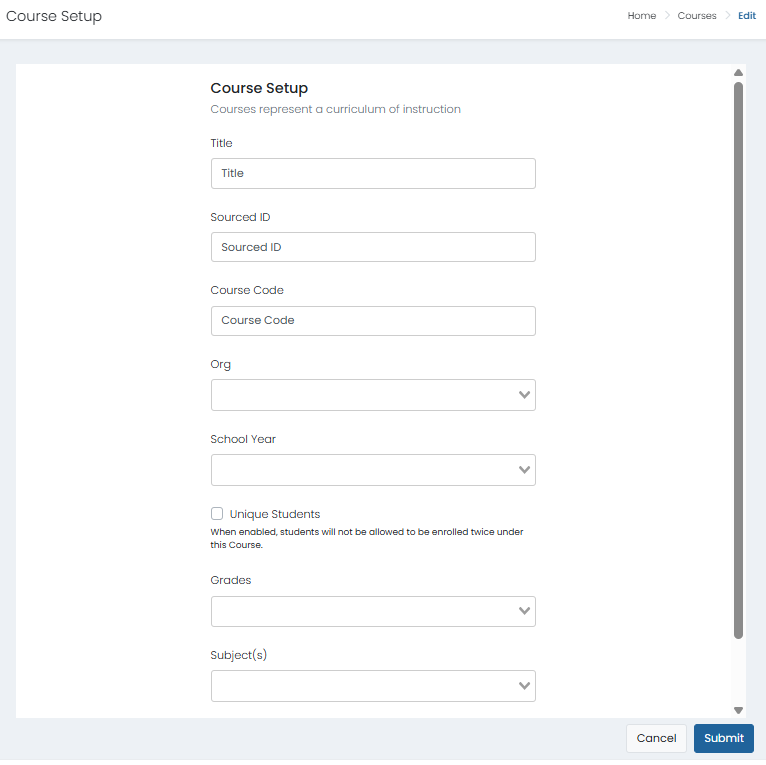
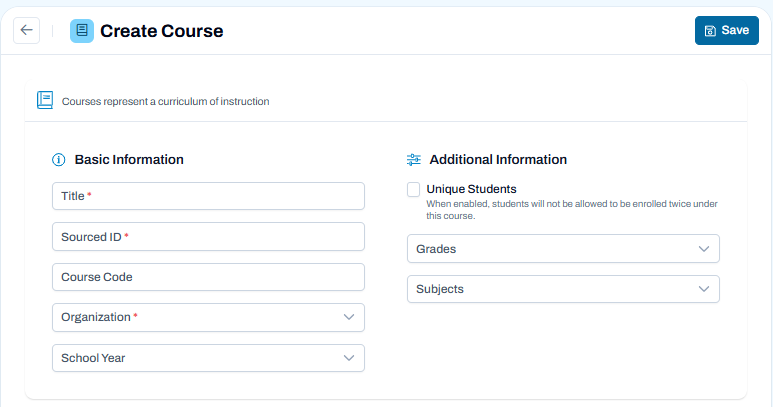
The Create Course page is used to add a new course to the system. Enter the course details, assign the appropriate organization, grades, and subjects, then save the course for use in rostering and reporting.
- Navigate to Rostering > Courses and select Add Course.
- In the Basic Information section, enter the required course details:
- Title – Enter the course name.
- Sourced ID – Enter a unique identifier for the course.
- Course Code – Enter the course code, if applicable.
- Organization – Select the organization that owns the course.
- School Year – Select the applicable school year.
Configure Additional Information
- Enable Unique Students if students should only be allowed to enroll in the course once.
- Select one or more Grades associated with the course.
- Select one or more Subjects that apply to the course.
Save the Course
- Review all entered information for accuracy.
- Select Save to create the course.
Classic User Interface:
Updated User Interface:
Edit or Delete a Course
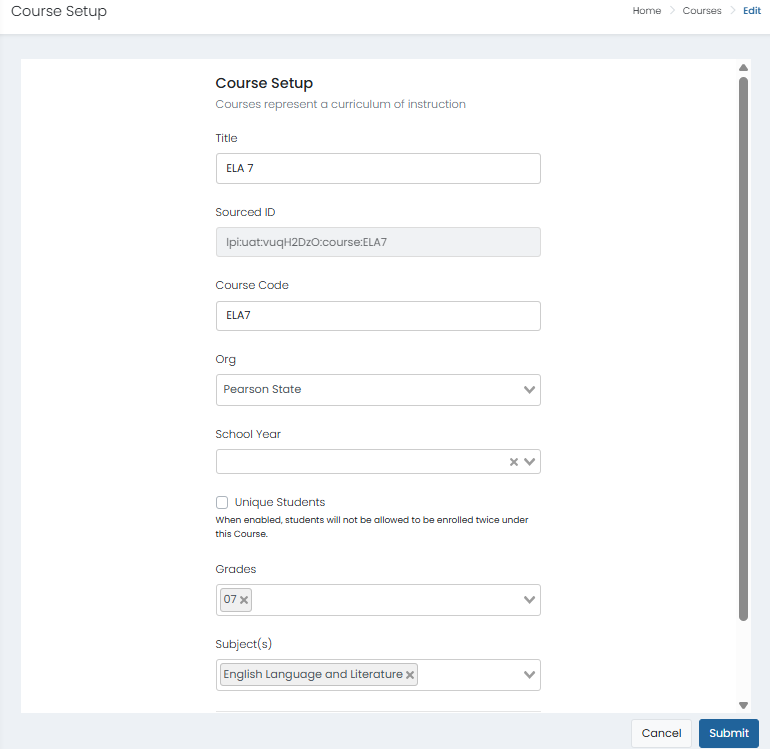
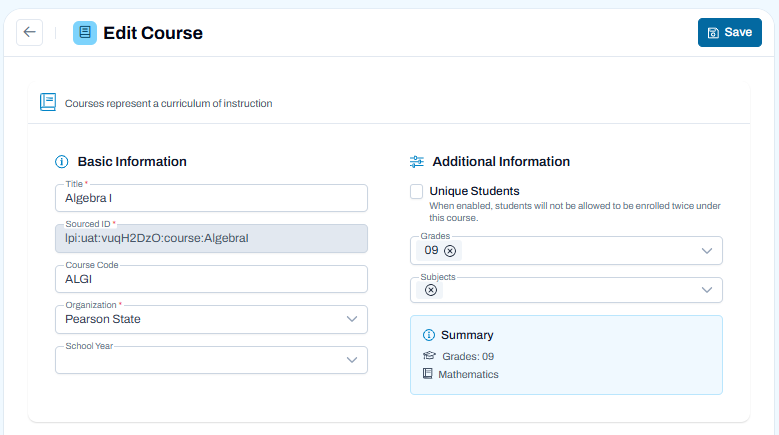
The Edit Course page is used to create or update course information, including course identifiers, grade levels, subject assignments, and enrollment settings.
Update Basic Information
- Enter or review the Title for the course.
- Review the Sourced ID, which uniquely identifies the course within connected systems.
- Enter or update the Course Code.
- Select the Organization associated with the course.
- Choose the applicable School Year.
Configure Additional Information
- Enable Unique Students if students should only be allowed to enroll in this course once.
- Select one or more Grades associated with the course.
- Select one or more Subjects that apply to the course.
- Review the Summary section to confirm the selected grades and subjects.
Save Changes
- Verify that all required information is complete and accurate.
- Select Save to apply your changes.
Classic User Interface:
Updated User Interface:
Best Practices
- Use filters to quickly locate specific courses in large course lists.
- Verify course codes and sourced IDs before creating new courses.
- Review course information regularly to ensure course data remains accurate and up to date.