Firefox
When you launch TestNav in Firefox, you may see a message indicating that pop-ups are blocked (image below). You must enable pop-up windows for TestNav in a secure test.
To enable pop-up windows, click Allow pop-ups for ...testnav.com (your secure test website), as shown below.

If you would rather edit preferences from the Preferences window, you can, instead:
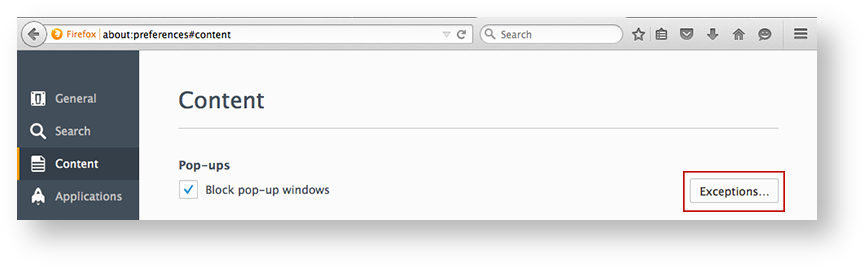
- Click Edit Pop-Up Blocker Preferences > Content > Exceptions...
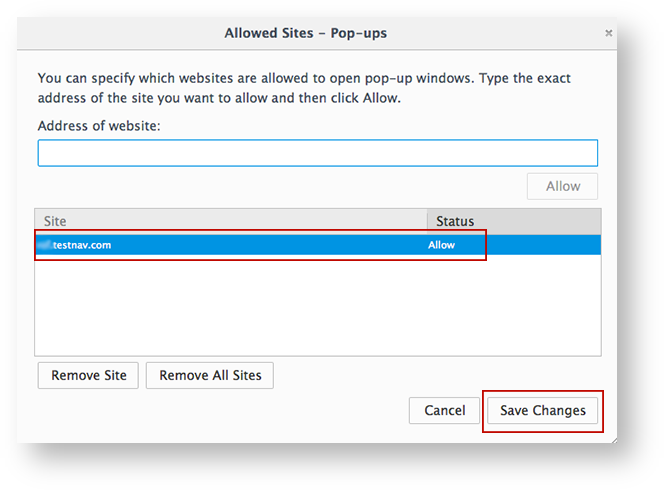
- Ensure that your test website appears in the Site column, and that Allow appears in the Status column. Then, click Save Changes: