The Activity Report shows the activity on all test administrations over a selected time period. To navigate to the Activity Report, go to Reporting > Activity.
As an option, activity data can be filtered by program. Upon opening the Activity Report page, it will default to 'All Programs.'
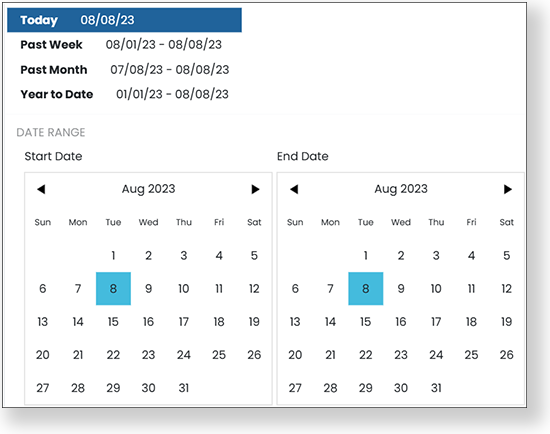
In the View Test Session Activity menu, select a custom date range or select one of the predefined date ranges: Today, Past Week, Past Month or Year to Date.
Select the Export menu, and then select an option to export the report to a CSV file.

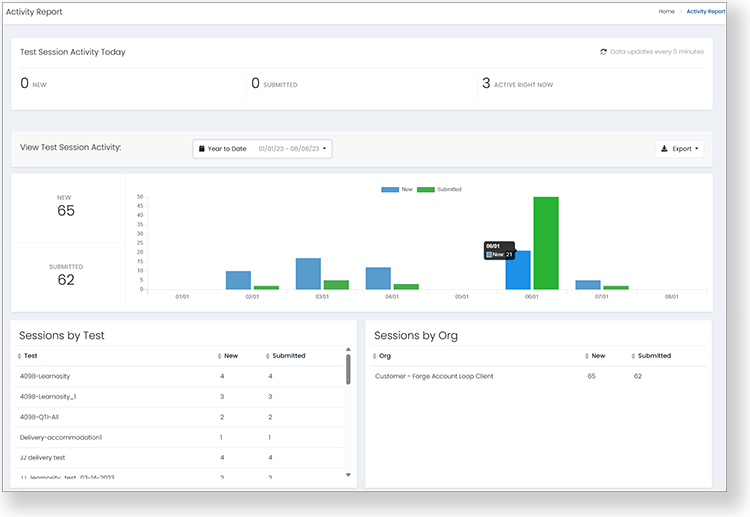
The top bar shows test session activity today. The rest of the report shows activity for the selected dates. You can hover over the bar chart to see the number of sessions submitted. "New" sessions mean that only the first session of multi-day testing is counted.
Tiny Link: https://support.assessment.pearson.com/x/dgUgBg