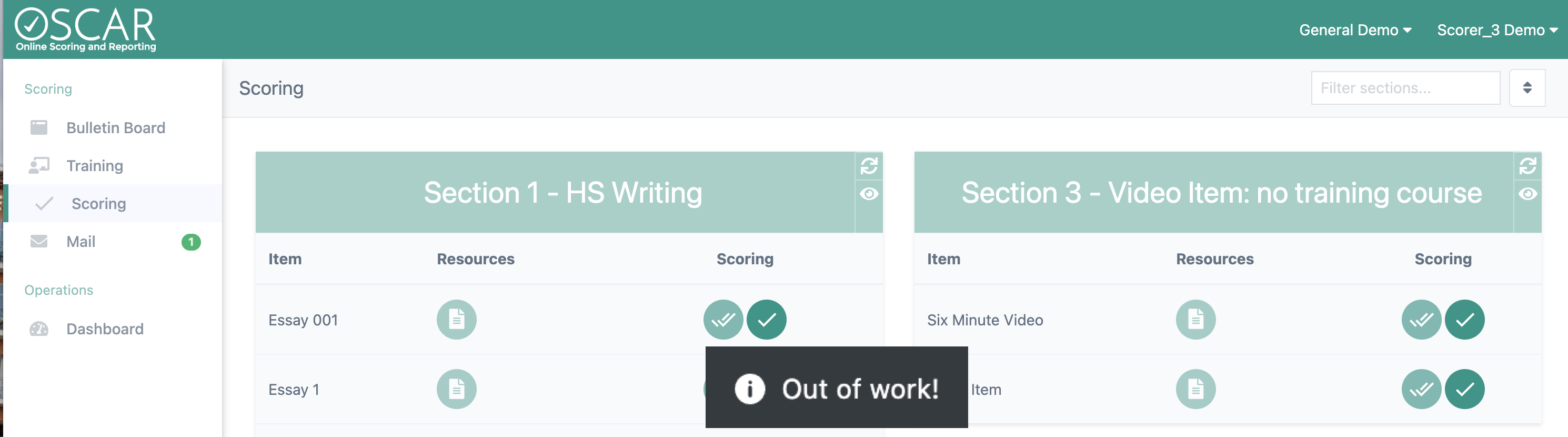
While Scoring or attempting to enter the Scoring queue, it is possible to receive an "Out of Work!" message. This message means that scoring is not currently possible for the item. There are a few different reasons this message may appear.
- No Available Responses: When there are no responses available for you to score, you will receive an out of work message when attempting to enter the item's Scoring queue. This message can also be received after submitting a score if there are not any more responses available that you are eligible to score.
- Incomplete Training or Qualification: Items that have required Training or Qualification cannot be entered for Scoring until those requirements are completed. The message will state "Out of Work" but will also specify if Training or Qualification is required.
- User Inactive: Your OSCAR user can be made inactive by a supervisor or automatically when a Validity, Calibration, or Qualification set is failed. When this occurs, you will not be able to enter Scoring for any item until your user account is active again. Speak to a scoring supervisor to learn the next steps for making your account active.

Section Refresh

At any time from the Scoring page, you can use the Section Refresh button to see what items are available for scoring. Items that are not available will be grayed out and items that can be scored will be highlighted in OSCAR green. Hover your mouse pointer over an item's Scoring button to see why scoring is not available for that item.
Auto-enter

The Auto-enter button can be used to automatically find the next available response across all items in the Section. This button is useful when there are only a small number of responses left for scoring, but you are not sure which items they are in.
Learn More
Click here to watch the video for a demonstration of using the Section Refresh tool and what an "Out of Work" message during scoring looks like.
Tiny Link: https://support.assessment.pearson.com/x/h4CwCg