
...
| Anchor | ||||
|---|---|---|---|---|
|
| Include Page | ||||
|---|---|---|---|---|
|
Safari
If the a notification below appears when you launch TestNav or TestNav SystemCheck, click Trust. asking you whether to trust your secure test website to use Java, click Trust.
| Expand | ||
|---|---|---|
| ||
|
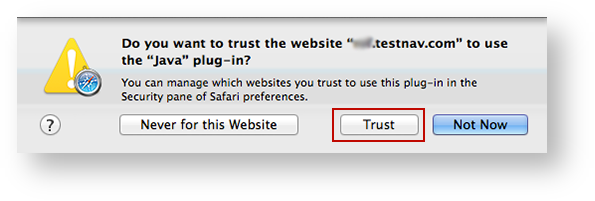
You may also see one of the following notifications depending on which Safari version you use.
...
- Select the Do not show this again for this app and web site check box.
This ensures that the warning screen will not appear again. Click Allow to continue to TestNav and TestNav SystemCheck.
Expand title Click here to view a screenshot... 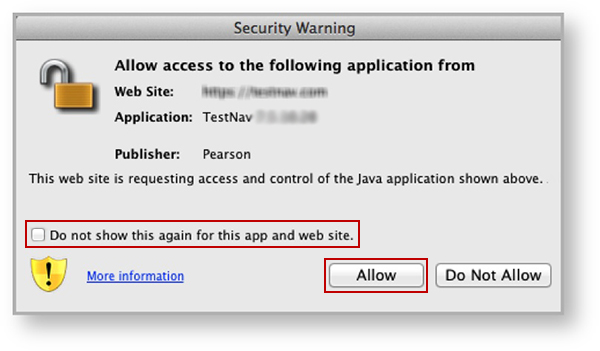
If you see the notification below Do you want to run this application? notification:
- Select the Do not show this again for apps from the publisher and location above check box.
This ensures that the warning screen will not appear again. Click Run to continue to TestNav and TestNav SystemCheck.
Expand title Click here to view a screenshot... 
| Include Page | ||||
|---|---|---|---|---|
|
Eliminate the Java Prompt When Testing
...
- Click the Apple icon > System Preferences > Java.
Click Advanced.
Select Enable - hide warning and run with protections:
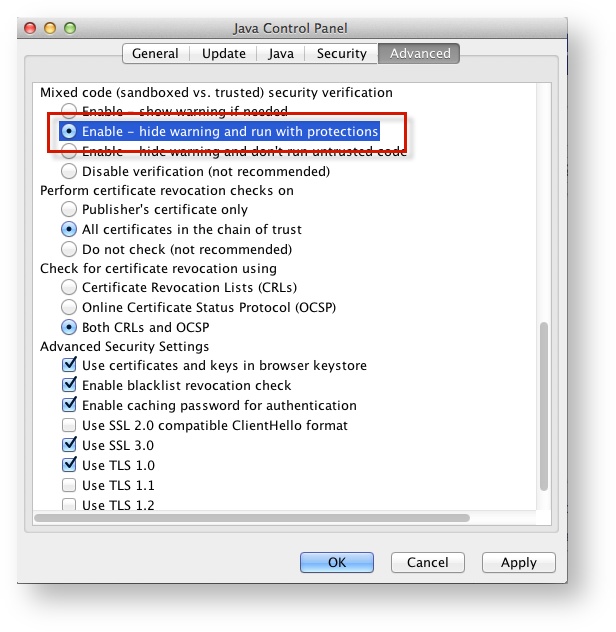
Expand title Click here to view a screenshot... 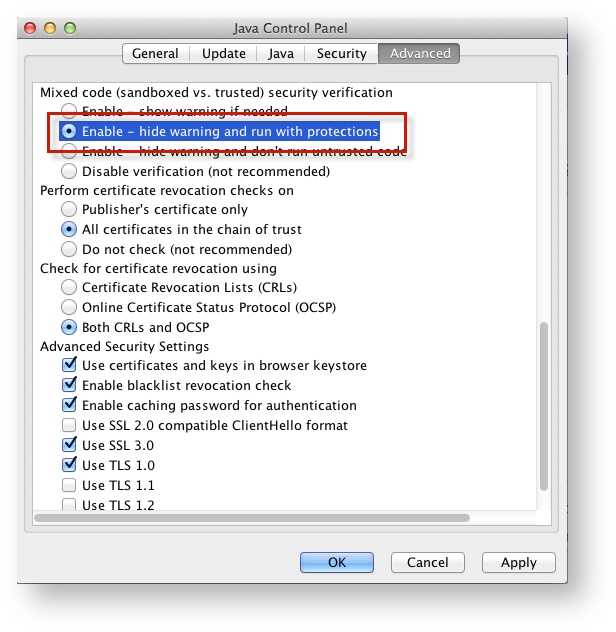
| Include Page | ||||
|---|---|---|---|---|
|
...