
...
The first thing you'll need to do to get started is to update permissions to allow a team member(s) to create training courses.
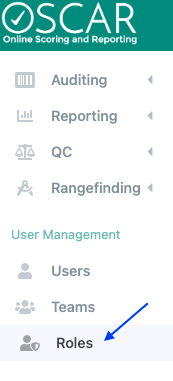
- Go to
- to Roles (main menu), select role(s) you want to give permission to set up training courses.
- Navigate to the Setup/Configuration tab and scroll to the checkbox for Training Setup (displayed above User Setup)
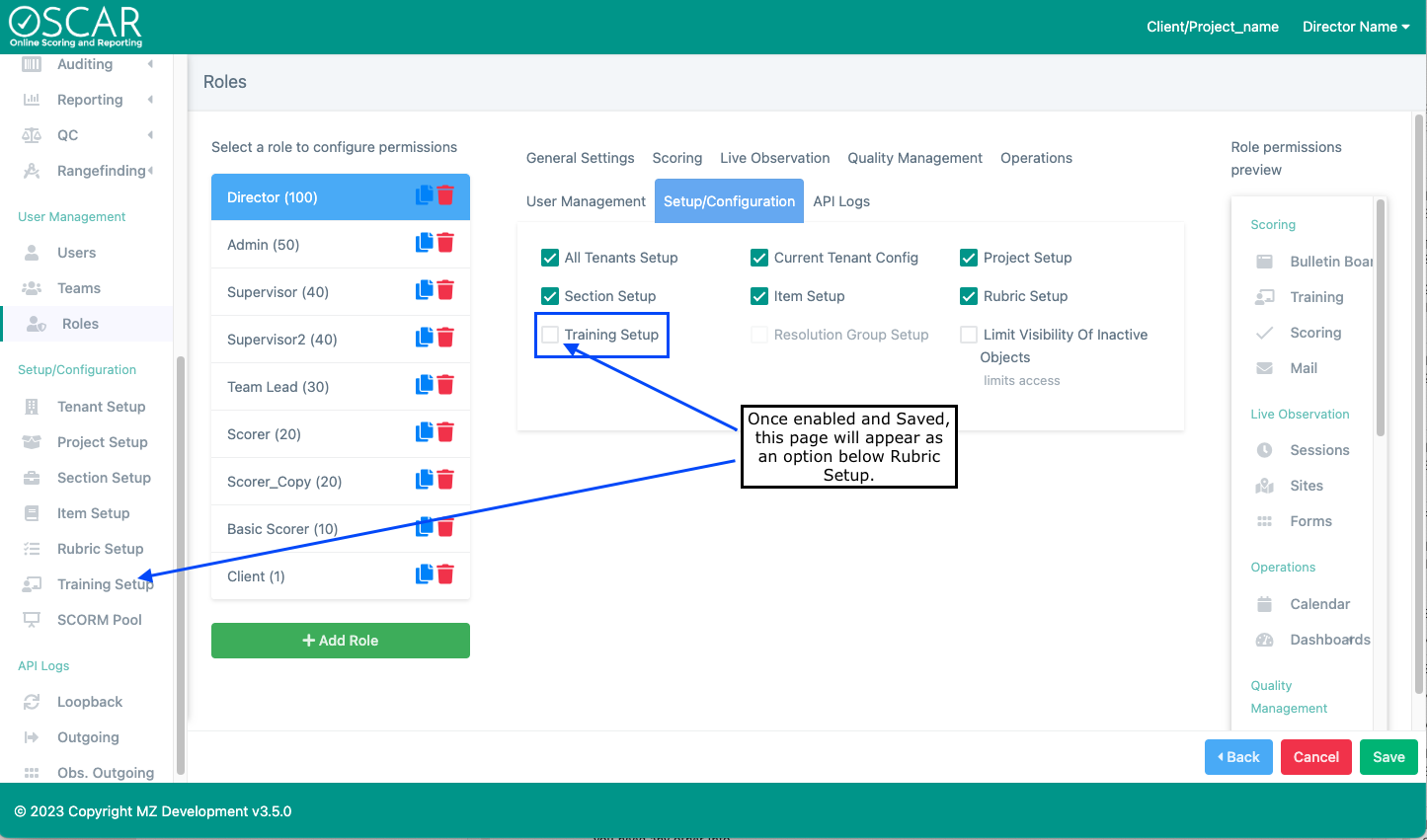
- Go to Training Setup (main menu) and click
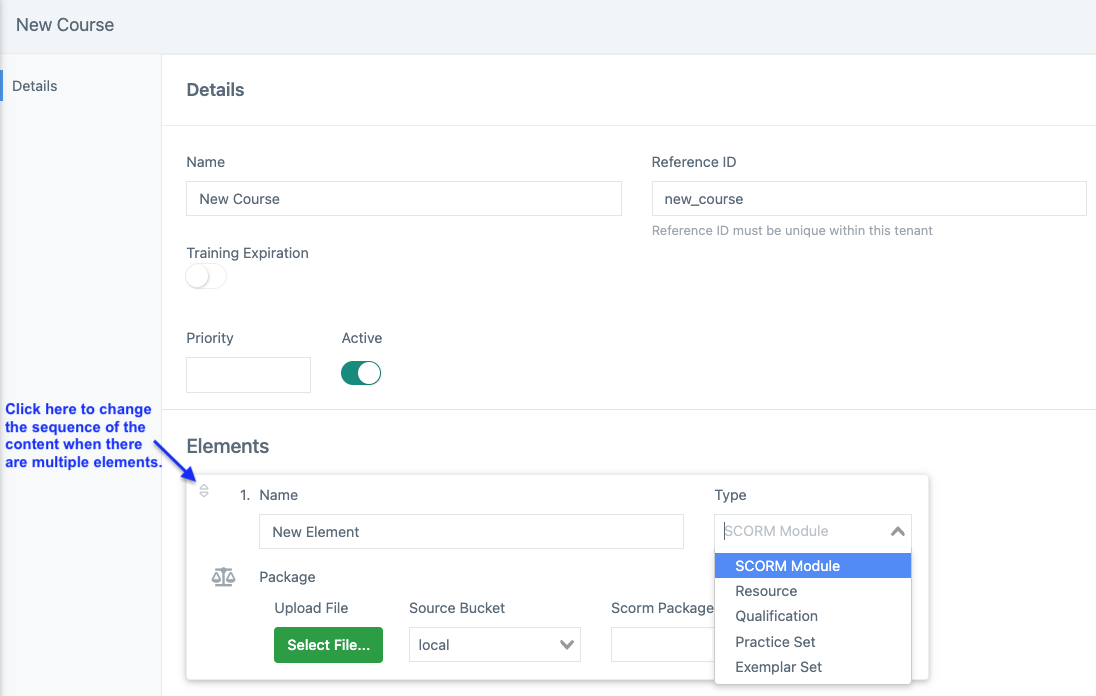
- Enter a course name and click the +Add Element button to add training course content. Courses are active by default. Scroll down to learn more about deactivated courses.
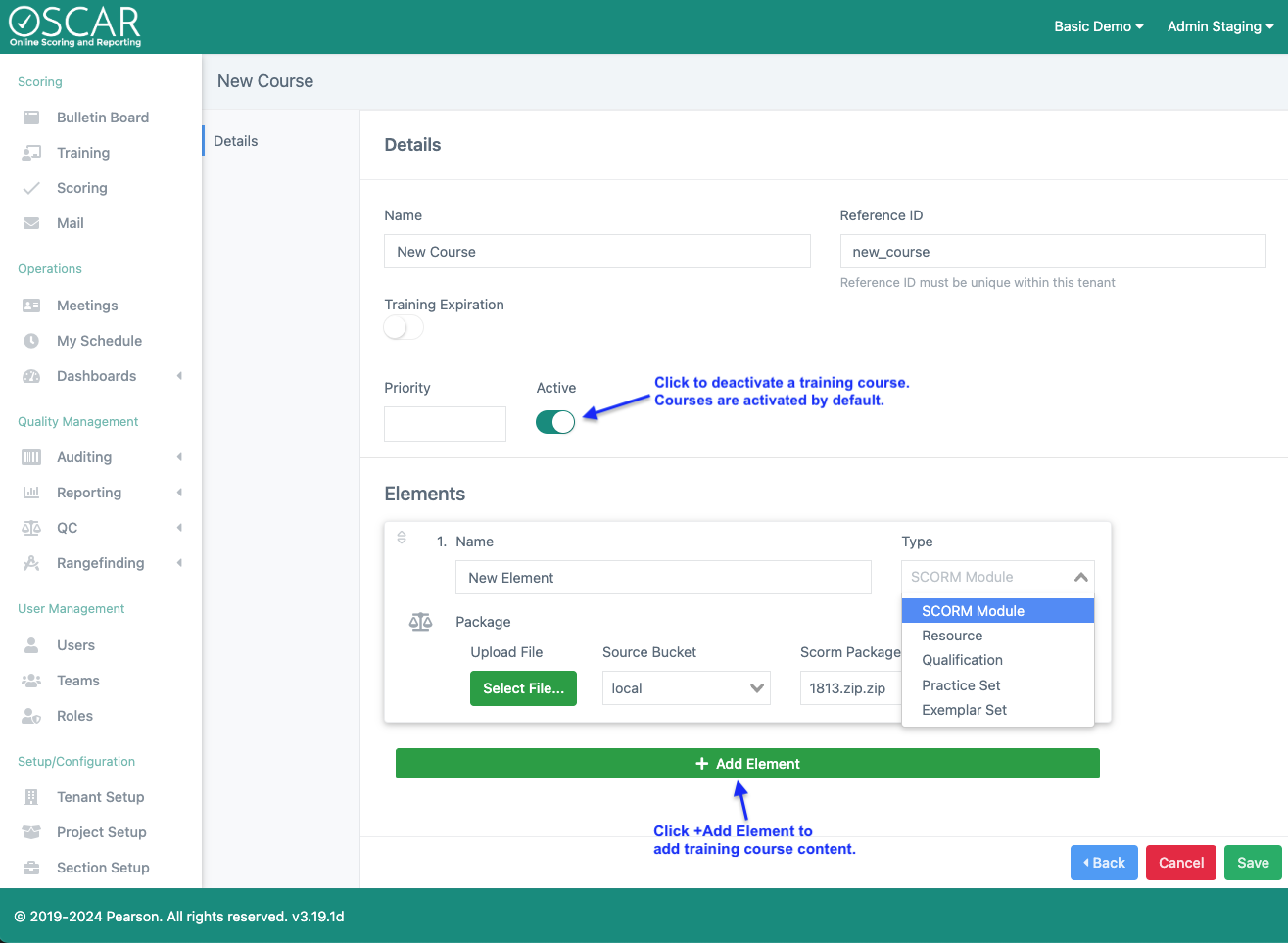
- Enter the element name and select the type of element from the drop-down list. Please note that the course name and element name are displayed to the user completing the training course.
- Click Select File to choose the file for the element type (e.g., SCORM Module) and click Save
- Element types:
- SCORM Module- Upload an html5 package that has embedded SCORM framework. To complete this element, a rater must meet the complete requirement within the SCORM framework.
- Resource - Upload information (e.g., employee policy, project/prompt/rubric specific reference material) that a scorer should read or review before qualifying to score operational responses. Resource content can include various supported file types (e.g. *.MP4, *.PDF, *.JPG). This element will be complete when the resource is viewed by the rater.
- Qualification - Assign a specific item's Qualification requirements as an element in the Training Course. This will behave exactly the same as qualification accessed through the Scoring page, utilizing all Qualification configurations for the chosen item. To complete this element, raters will need meet the passing requirements of Qualification for the item chosen.
- Practice Set - Assign a specific item's Practice set(s) as an element in the Training Course. This will behave exactly the same as Practice accessed through the Scoring page. To complete this element, raters will need to apply a score to every response in the Practice set(s) for the item chosen.
- A training course can include multiple elements to be completed in a specific sequence.
- Element types:
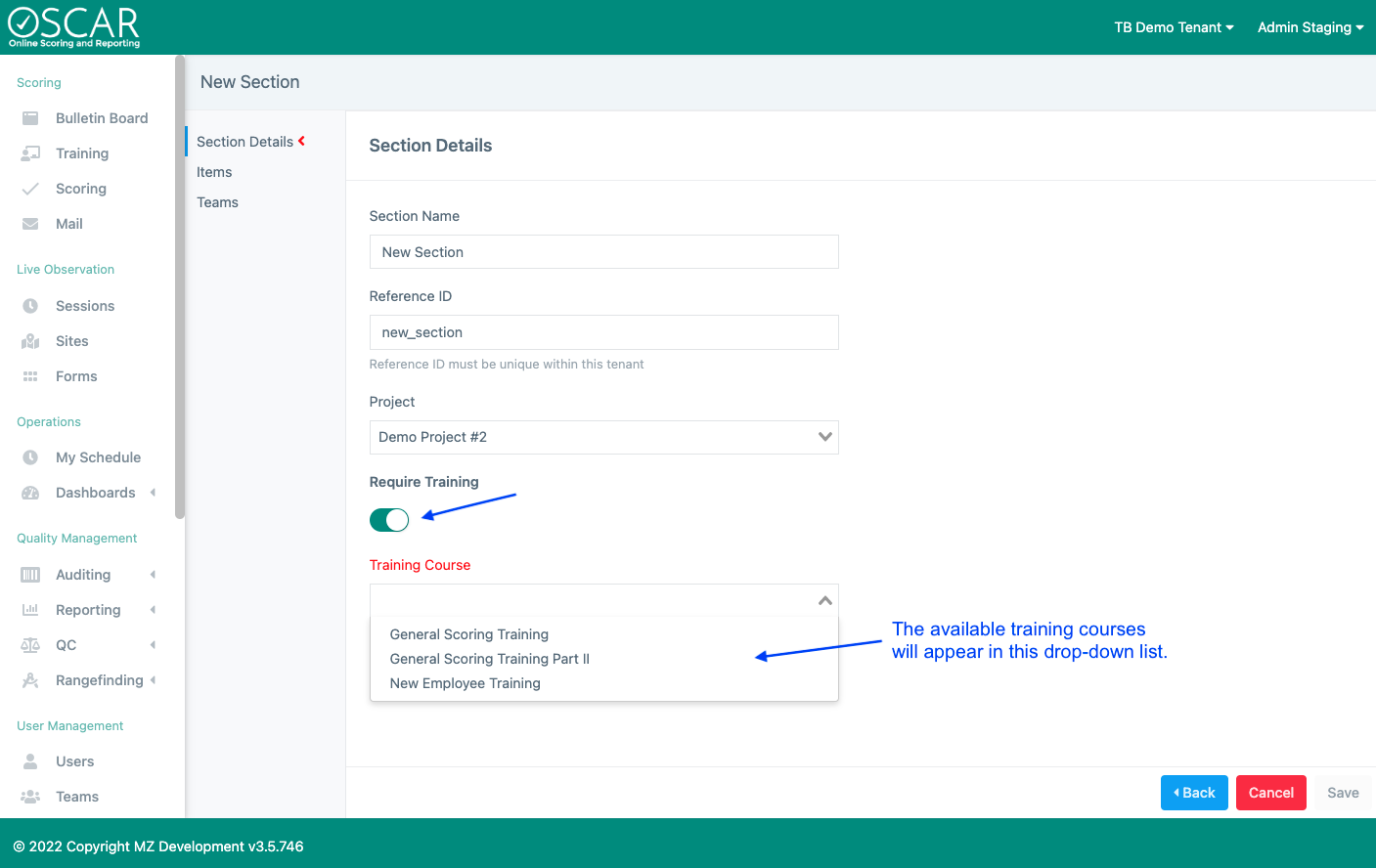
- Go to Section Setup (main menu), choose a Section and click Edit
- Click to toggle on the Require Training feature and select a training course name from the drop-down list
...