LaunchPad

Page tree

Versions Compared

Key

  • This line was added.
  • This line was removed.
  • Formatting was changed.
Excerpt

Authorized users can export users.

  1. Under Roster Data, select Users.
  2. Select the Student, Non-Students or All Users tab.
  3. As desired, filter by status, grade, role and/or organization.
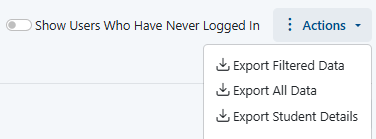
  4. In the Actions menu, choose from the following:
    • Export Student Details (if applicable)
    • Export Filtered Data
    • Export All Data
      Actions menu optionsImage Added

  5. Access the Downloads Page from either the confirmation message or the Downloads link.

    Downloads iconImage Added


    Downloads page link on confirmation messageImage Added

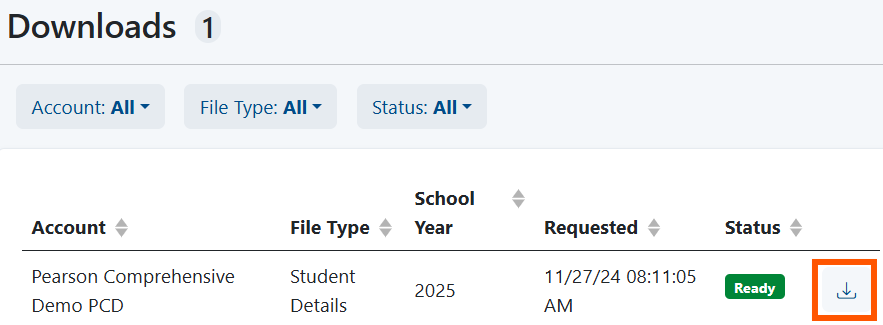
  6. Download the file.

Downloads page with Download icon for a file highlightedImage Added

...

Tiny Link: https://support.assessment.pearson.com/x/SAAwCgTiny Link