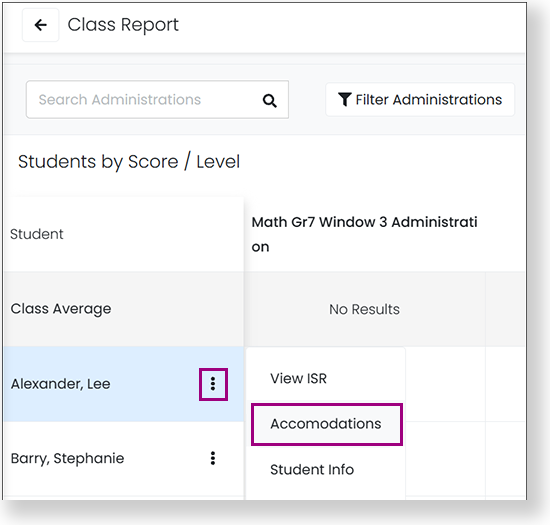
This article outlines how to define and assign accommodations, such as Text to Speech (TTS). Certain accommodations, such as text-to-speech, are available for online testing and others, such as Braille, are paper-based or local accommodations that are noted in the student record.
ADAM and TestNav support different accommodations which are listed below.
Step-by-Step
Proctor View Online Accommodations
Proctors can view student accommodations (for the ADAM player and TestNav) in the Proctor Dashboard by hovering over the accommodations bubble for a student. The number in the bubble indicates the number of accommodations assigned to the student. Proctors can change the Text To Speech accommodation from the Proctor Dashboard if their role has permission.
Text To Speech is available for the ADAM test player.
Text To Speech
Text To Speech plus Graphics
When creating a Form in ADAM, you can select "Tools and Accessibility" to include on the form. These include Flag Item, Choice Masking, Notepad, Line Reader, Color Scheme, Zoom, Font Size, Dictionary, and Highlighter. These tools are not included in accommodation profiles. SeeAuthoring a New Form.
Form-based accommodations are paper- or screen-based accommodations driven by the test form.
Braille
Braille plus Tactile Graphics
Closed Caption
Language
Large Print
Paper
Screen Reader
Sign Language
The following accommodations are available in the TestNav online test platform.
Add Time
Answer Eliminator
Answer Masking
Color Contrast
Dictionary
Dynamic Text to Speech
Enable Extensions
Highlighter
Keyword Translations
Line Reader
Magnifications
Notepad
Online Calculator
Local accommodations are provided at the testing location, not by the test delivery platform.
Color Overlay
Double Time
Extended Time
Handheld Calculator
Human Signer
Read Aloud / Human Reader
Scribe
Temporary Accommodation
Time And A Half
Unique Accommodation
Custom accommodations are provided at the testing location, not by the test delivery platform.

 Sajda Omar, last updated on Aug 24, 2023
4 minute read
Sajda Omar, last updated on Aug 24, 2023
4 minute read