You are viewing an old version of this page. View the current version.
Compare with Current
View Page History
« Previous
Version 14
Next »
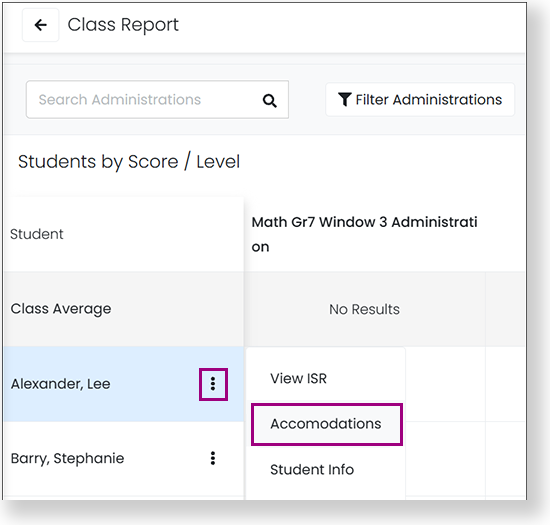
This article outlines how to define and assign accommodations, such as Text to Speech (TTS). Certain accommodations, such as text-to-speech, are available for online testing and others, such as Braille, are paper-based or local accommodations that are noted in the student record.
Step-by-Step

Proctor View Online Accommodations
Proctors can view student accommodations (for the ADAM player and TestNav) in the Proctor Dashboard by hovering over the accommodations bubble for a student. The number in the bubble indicates the number of accommodations assigned to the student. Proctors can change the Text To Speech accommodation from the Proctor Dashboard if their role has permission.
See Proctoring a Test or Proctoring a TestNav Test.
List of Accommodations
Text To Speech is available for the ADAM test player.
- Text To Speech
- Text To Speech plus Graphics
Form-based accommodations are paper- or screen-based accommodations driven by the test form.
- Braille
- Braille plus Tactile Graphics
- Closed Caption
- Language
- Large Print
- Paper
- Screen Reader
- Sign Language
The following accommodations are available in the TestNav online test platform.
- Add Time
- Answer Eliminator
- Answer Masking
- Color Contrast
- Dictionary
- Dynamic Text to Speech
- Enable Extensions
- Highlighter
- Keyword Translations
- Line Reader
- Magnifications
- Notepad
- Online Calculator
Local accommodations are provided at the testing location, not by the test delivery platform.
- Color Overlay
- Double Time
- Extended Time
- Handheld Calculator
- Human Signer
- Read Aloud / Human Reader
- Scribe
- Temporary Accommodation
- Time And A Half
- Unique Accommodation
Custom accommodations are provided at the testing location, not by the test delivery platform.
- Alternate Aids/Supports (Support)
- Answers Recorded
- Bilingual Word Glossary for MLs (Support)
- Communication Assistance Script
- Directions in Native Language
- Extended Time (Support)
- Frequent Breaks (Support)
- Individual/Separate Setting (Support)
- Kurzweil
- Mouse Pointer
- Native Language Word-to-Word Dictionary
- No Accommodations
- Recorded Voice File
- Small Group Setting (Support)

 Sajda Omar, last updated on Aug 24, 2023
4 minute read
Sajda Omar, last updated on Aug 24, 2023
4 minute read