
-
Created by
 user-6d962, last updated on Feb 13, 2024
2 minute read
user-6d962, last updated on Feb 13, 2024
2 minute read
Administrator roles with the appropriate permissions can add or edit the accommodation profiles in Client Settings. A student's accommodations for each profile can then be selected in their student record. Important All profiles will be available in the student record, where you can select the appropriate accommodations for that student from each profile. After an accommodation has been assigned to students or tests, its checkbox will be disabled to prevent data errors.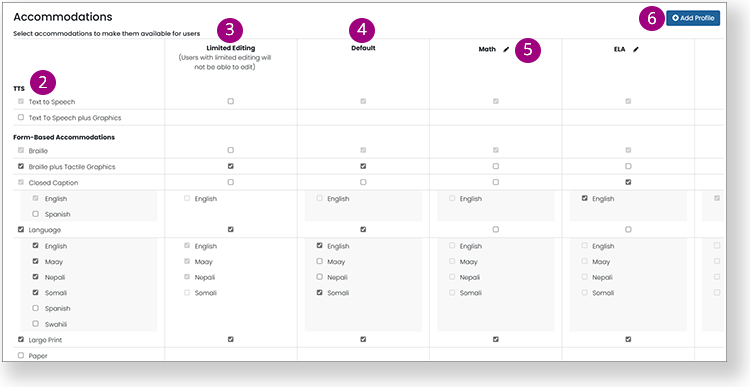
Tiny link: