You are viewing an old version of this page. View the current version.
Compare with Current
View Page History
Version 1
Next »
Users with rights to Administration Cards can access the Proctor Dashboard for any proctor group created for the administration. You can view the Proctor Dashboard concurrently with other proctors, you can monitor all the test sessions in your school using the proctor dashboard.
- Log in to ADAM.
- Select Test Management, and then Administrations.
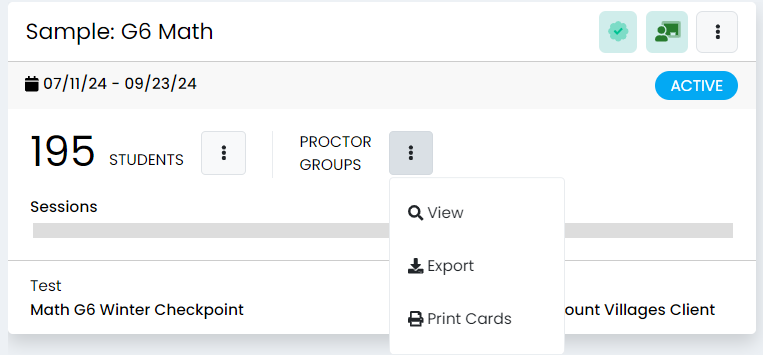
- Find the administration you want to monitor, then select View in the PROCTOR GROUPS section of the administration card.
- Find the proctor group you want to open and click the Proctor link.
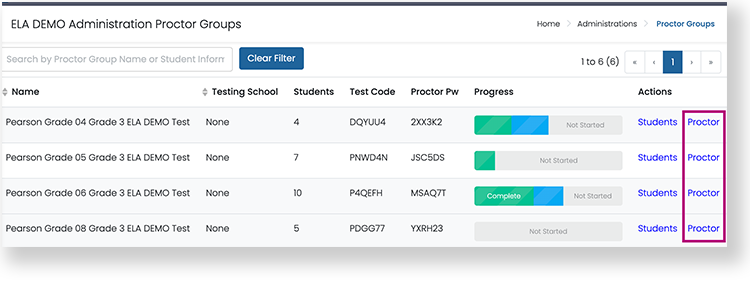
- If you are looking for a specific student's proctor group, use the search to find that proctor group. Select Proctor and the proctoring page opens in a new browser tab. You can have multiple Proctor Dashboards open at the same time, just find your open ADAM tab to open another proctor dashboard.
Tiny Link:

 user-760ba on Jul 29, 2024
1 minute read
user-760ba on Jul 29, 2024
1 minute read