
-
Created by
 user-6d962, last updated on Aug 12, 2015
1 minute read
user-6d962, last updated on Aug 12, 2015
1 minute read
Unable to render {include} The included page could not be found.
Unable to render {include} The included page could not be found.
Unable to render {include} The included page could not be found.
Eliminate the Java Prompt When Testing
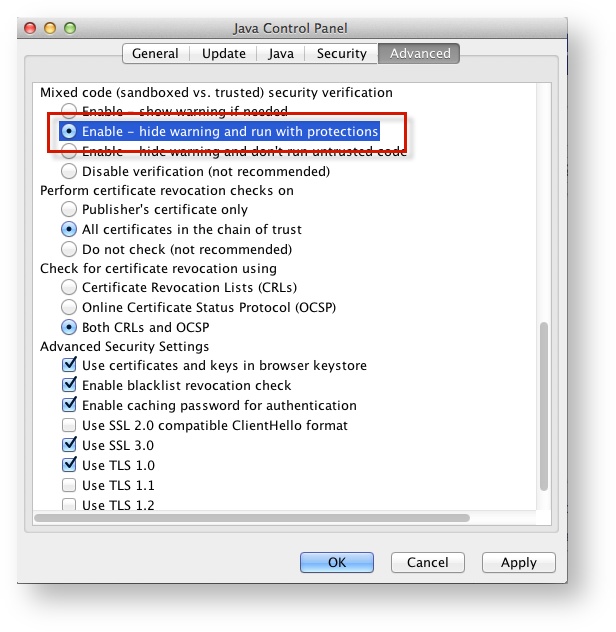
- Click the Apple icon > System Preferences > Java.
Click Advanced.
Select Enable - hide warning and run with protections:
Unable to render {include} The included page could not be found.
Run SystemCheck
Unable to render {include} The included page could not be found.
Set Up Response File Backups
Unable to render {include} The included page could not be found.
Default Primary Save Location
| Operating System | SRF Location | Log File Location |
|---|---|---|
| Mac OS X | Users/username/Pearson/... | /Users/<username>/Pearson/first name-last name-identifier/logs For example: /Users/UserA/Pearson/User-A-1234/logs |
Unable to render {include} The included page could not be found.