The Student Dashboard, accessed by a student search function, gives users an overall dashboard holistic view of a specific student's information. This includes consolidated views for Performance, Sessions, and Demographic & Accommodations information. The dashboard allows the user to take action(s) on the information displayed, as applicable with permissions assigned. This includes printing a PDF of all performance results or viewing individual student reports.
- On the Navigation Bar, click the Student Search icon.
- Enter the full or partial name of a student
- Students matching your request appear under the text you entered. Note: You can scroll up to see previous results grouped under search text.
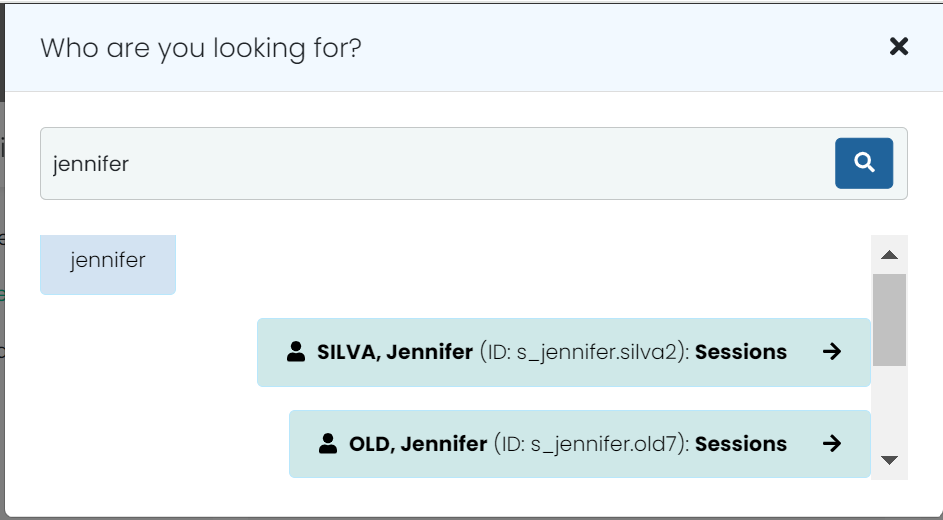
- Click the a student to access the Student Dashboard.
Sample Student Dashboard
Note for Site Administrators: This Student Search feature is controlled with a new user role permission in Rostering called ‘Student Dashboard’.