There are two main scenarios for voiding a test:
The student attempt should be not be reported and the student will not be allowed additional testing (ex. student was caught cheating).
The student signed into the wrong test, needs to start again due to illness or was missing required accommodations and needs to start over.
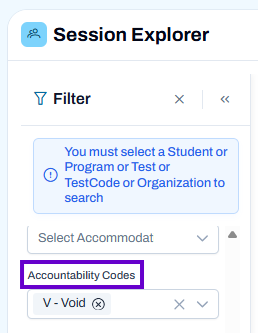
First use the following navigation: Operations > Session Explorer > (Filter for Accountability Code: Void)
For details on applying a Void code, see Session Explorer: View and Apply Accountability Codes. See also: Rescan: Update Session Information, View and Update Accommodations
NOTE: Your site may be configured to allow voiding test sessions completely, voiding but with the option to allow the student to retest, or both. When voiding a test session, the student's session will be permanently voided and not be reported nor exported to downstream systems. This record is reported and exported for accountability purposes.
When applying a Void code, you may need to click Yes on a confirmation screen.
When the void code is set up to allow a new session, make sure to rescan the administration so the new session will appear if needed within the hour. If the student was previously assigned to a proctor group, the new session will need to be added back.
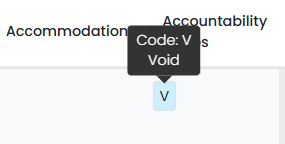
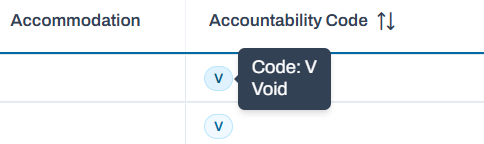
In Session Explorer, the Accountability Code column (which may have an alternate local name), will indicate if a Void code has been applied to a student session.
Classic User Interface:
Updated User Interface:
Note for Site Administrators: Both of these void types can be set up in Accountability/Participation Codes in Client Settings. Go to System > Client Settings > Delivery Preferences > Accountability/Participation Code
Void > Allow a New Session: Ability to void a test session and allow the student to be assigned to a new session. This option replaces the previous reset feature: you no longer need to reset a session to allow a student to start again (ex. student becomes ill and must take a make-up test). This student's session will be permanently voided and not be reported nor exported to downstream systems. The ability to void a record (ex. student was caught cheating) and not allow additional testing remains as an option. This record is reported and exported for accountability purposes.
Tiny Link: https://support.assessment.pearson.com/x/VgANCQ