Create Temporary Students
Create a temporary student when a student needs to test but does not yet have a permanent student record in ADAM.
Common scenarios include:
- Newly enrolled students whose records have not yet been loaded.
- Transfer students who are not yet included in district or state data files.
- Students whose records were omitted from a roster upload or synchronization process.
Once created, the temporary student can:
- Be assigned to a proctor group.
- Be scheduled for testing.
- Receive approved accommodations, if applicable.
- Begin testing immediately.
Instructions:
- Select the Test Management > Administrations.
- See also: Administrations
- Search for the desired administration.
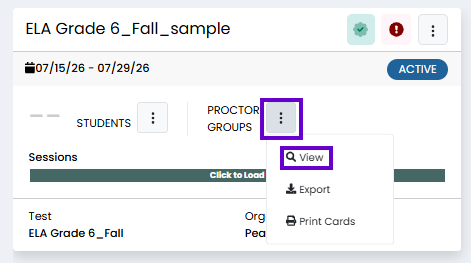
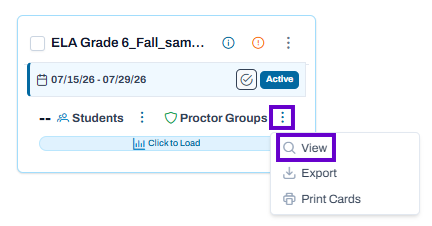
- In the appropriate administration card, in the Proctor Groups menu, select View.
Classic User Interface:
Updated User Interface:
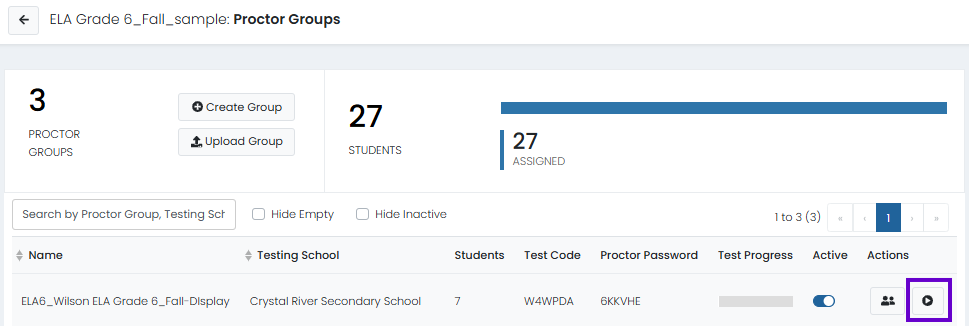
- In the far-right column, select Proctor.
Classic User Interface:
Updated User Interface:
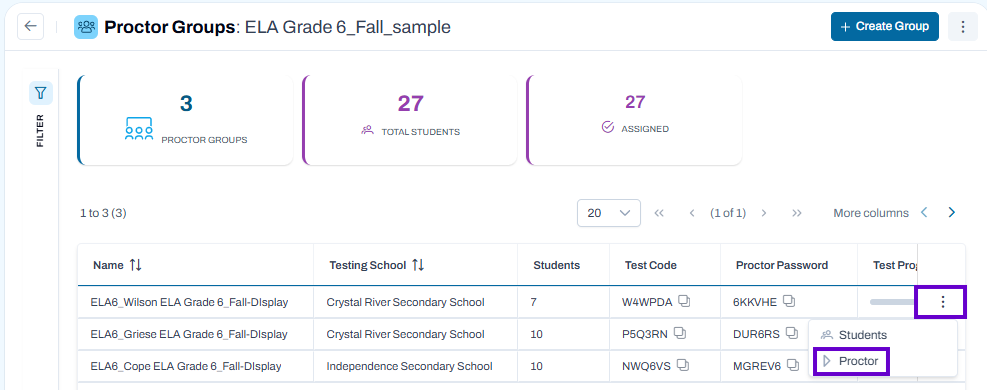
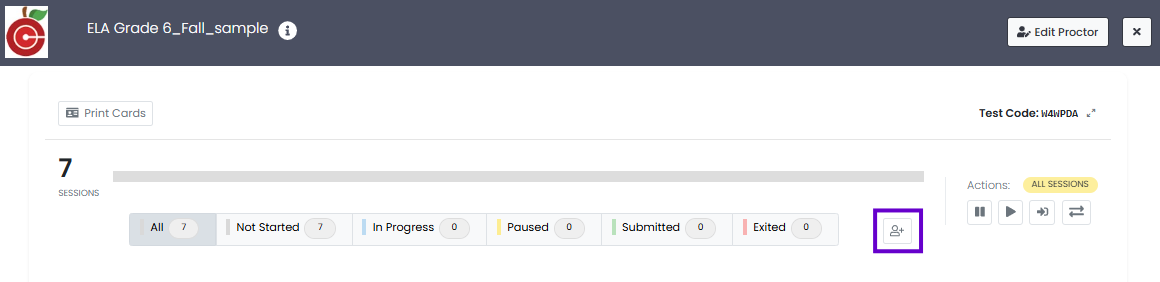
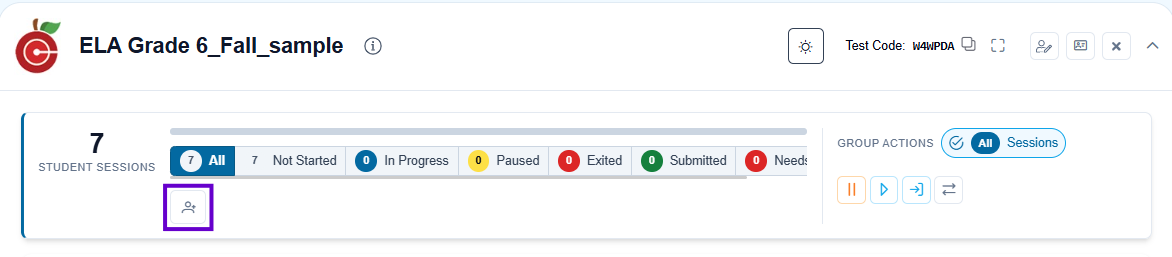
- Select Create Temporary Student above the student list.
Classic User Interface:
Updated User Interface:
- Enter details for the temporary student.
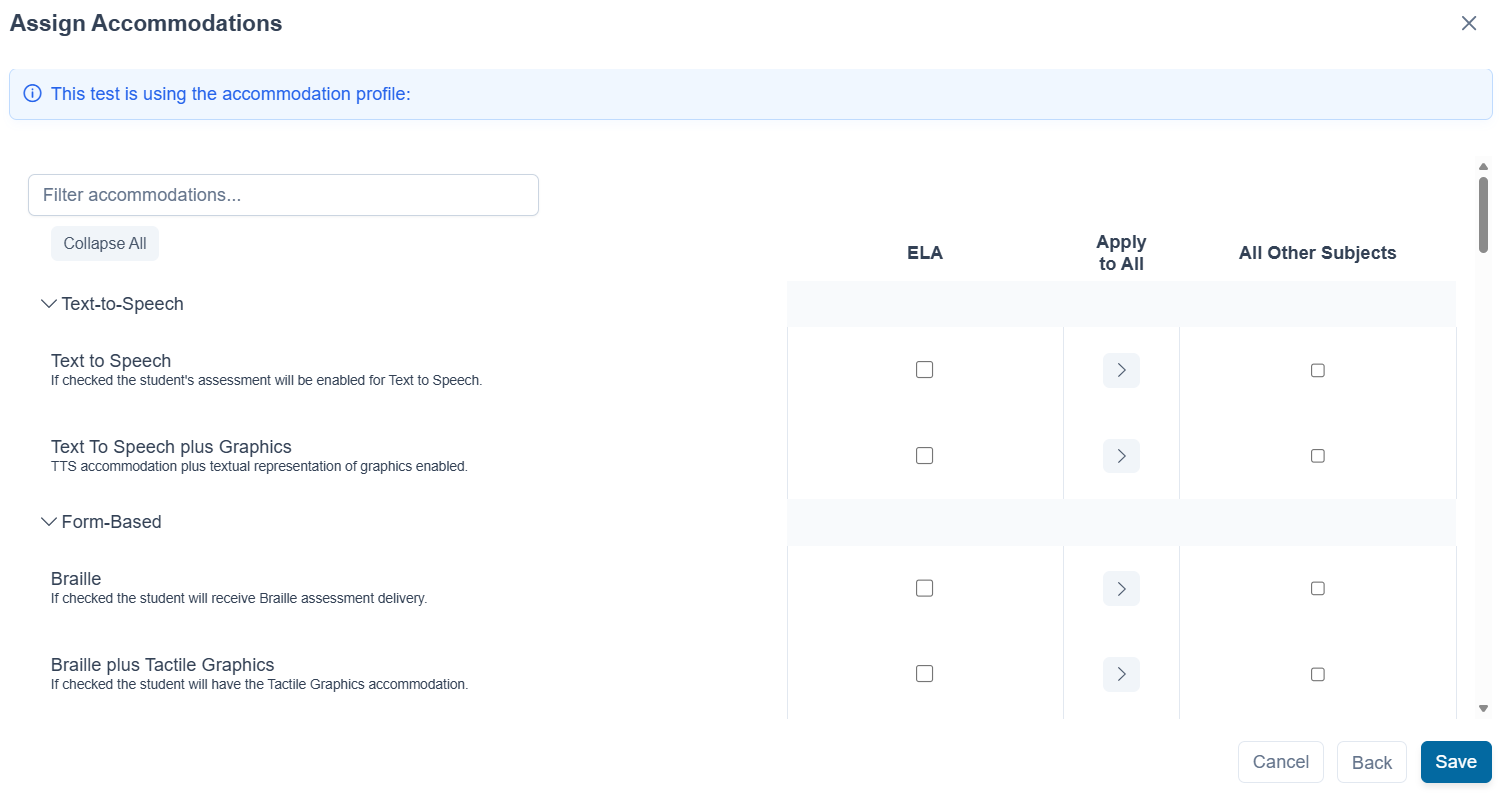
- If needed, select the Add accommodations for this temporary student slider and Next to select appropriate accommodations.
Classic User Interface:

Updated User Interface:

7. Select Save if no accommodations are required.
- If accommodations are required, select Next.
- Enter required accommodations and select Save.
Classic User Interface:

Updated User Interface: