You can delete an account when it is no longer needed. For example, you may delete a user's account if he or she leaves your organization or his or her role changes within the organization. This varies by program and organization.
Step-by-Step
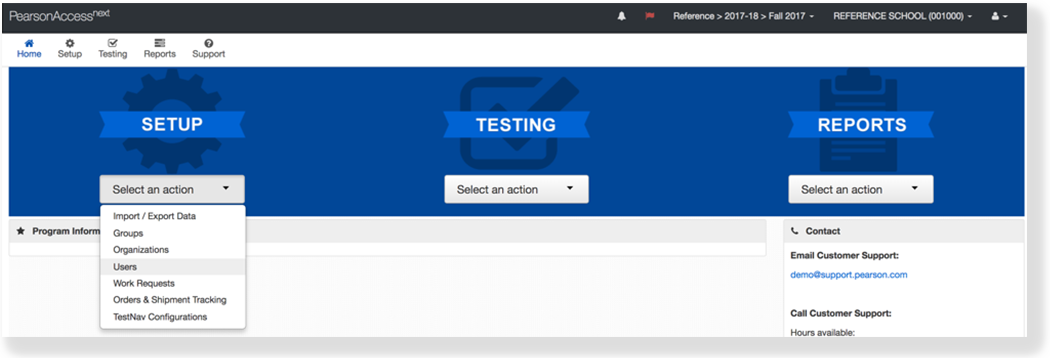
From Setup, select Users.
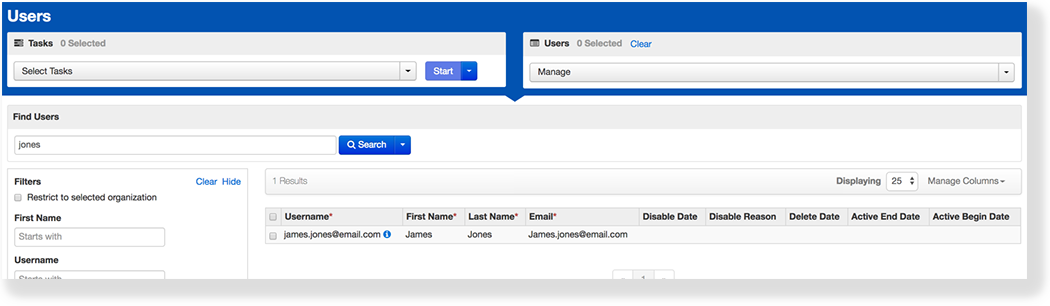
Type the user's name into the search field, and click Search.
Click the checkmark next to the user.
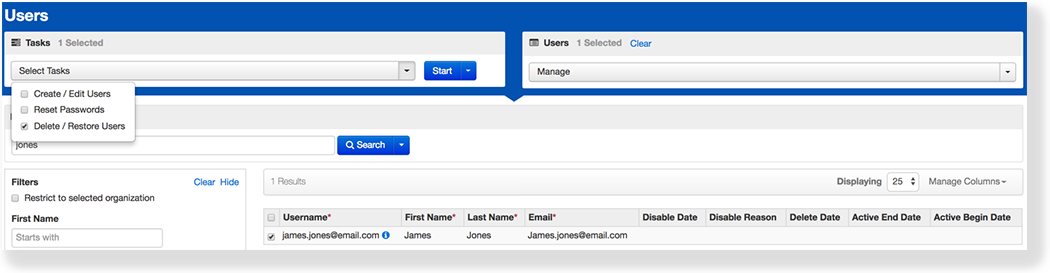
Click Select Tasks, select Delete / Restore Users, and click Start.
Click the checkbox next to the user to confirm the selection.
Click Delete / Restore.
Effects
After you delete a user account, that user cannot log into the system.
What's Next? (Optional)
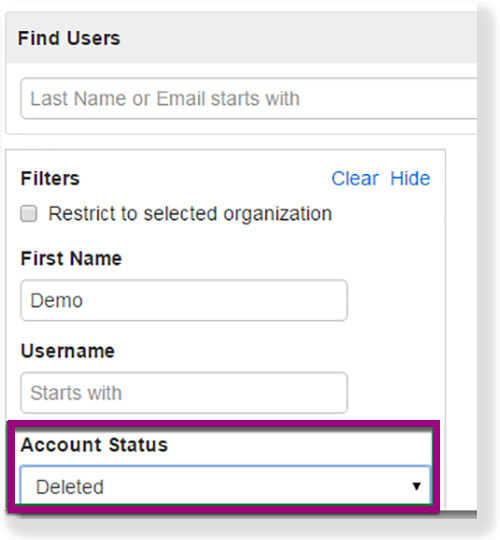
To find a user to restore, select Deleted from the Account Status filter.