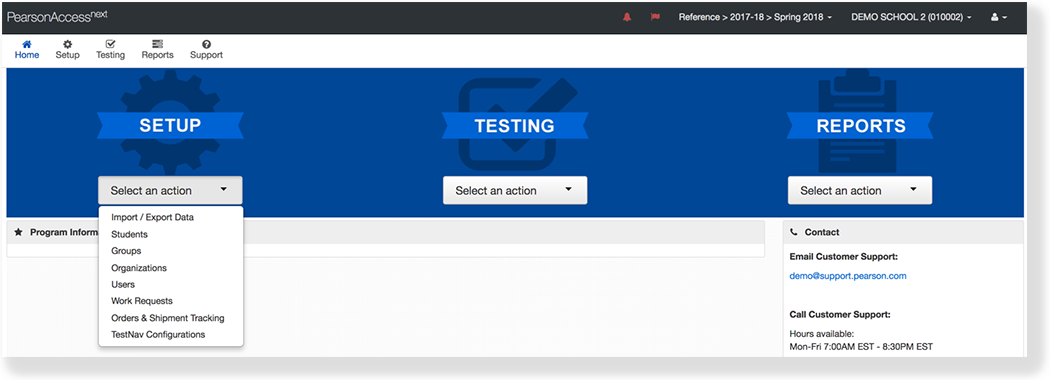
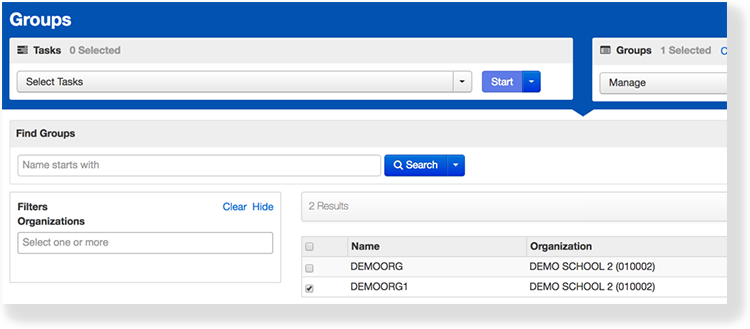
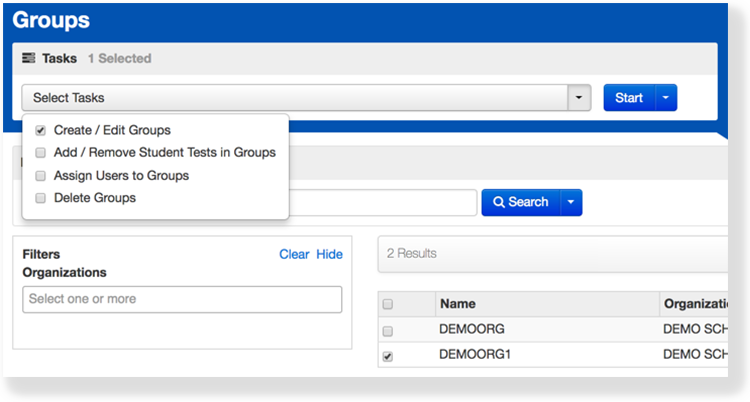
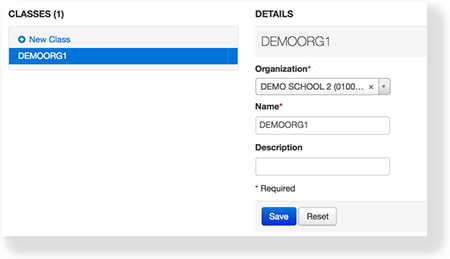
PearsonAccess Next Online Support Setup Manage Groups Current: Edit a Group Edit a Group You can edit a group to change the name of the group or the associated organization. Step-by-Step From Setup, select Groups.Click the checkbox next to the group.Click Select Tasks, select Create / Edit Groups, and click Start.Type or select the details to edit the group.Click Save. What's Next?Add student tests to the group.Assign users to the group. ×