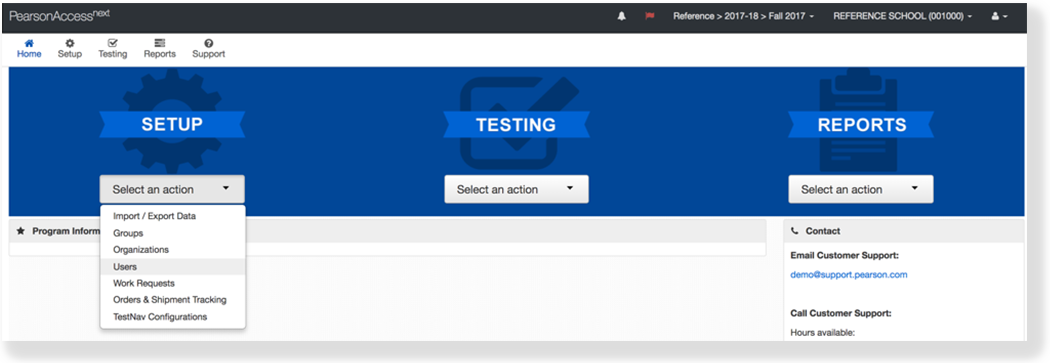
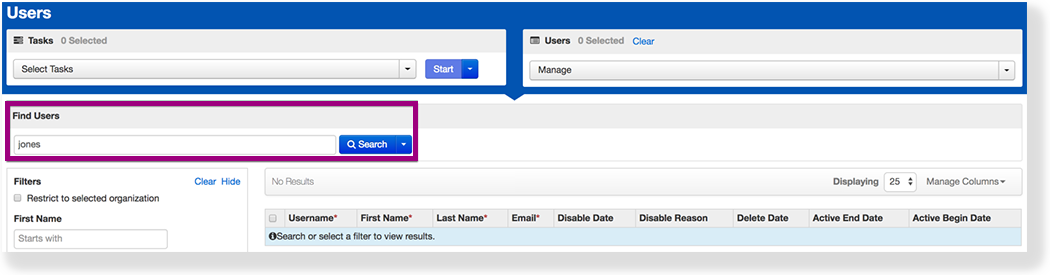
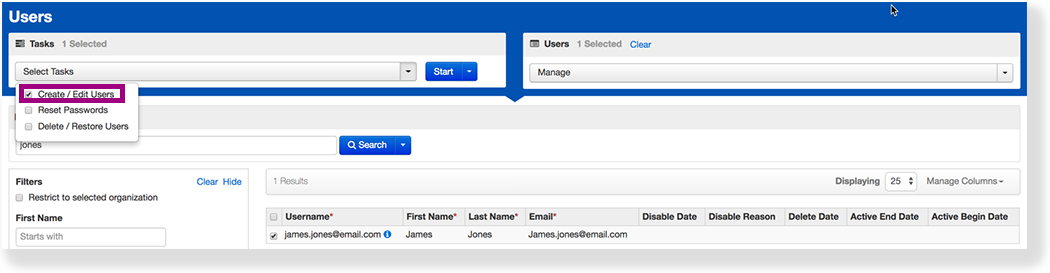
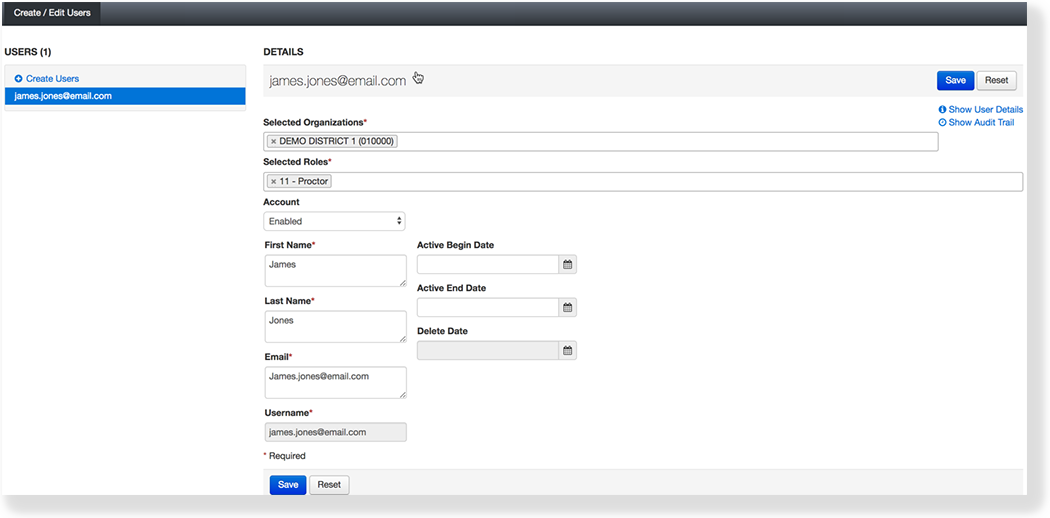
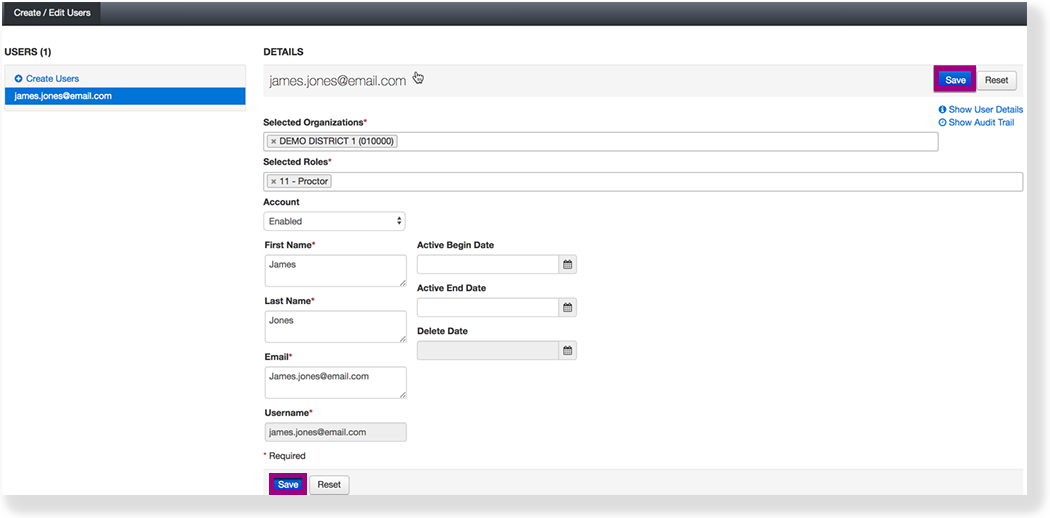
PearsonAccess Next Online Support Setup Manage Users Current: Edit a User Account Edit a User Account You can edit a user's available details to update personal and system-related information. Feature availability varies by program and role.PrerequisitesA user must exist in the system prior to updating his or her details. Step-by-StepFrom Setup, select Users.Type the user's name into the search field, and click Search.Select the checkbox next to the user.Click Select Tasks, select Create / Edit Users, and click Start.Type/Select the user information.Click Save. EffectsAfter you update user accounts, you can click...Show User Details to view more detailed information about the user.Show Audit Trail to see when changes were made to a user account and who made them.The information icon next to the user account name to view more details. ×
 Feature availability varies by program and role.