Remote Test Proctoring (RTP) supports placing remote testers into a mandatory holding room, allowing the proctor to give test directions to all testers with a remote test session, prior to testers proceeding into the test.
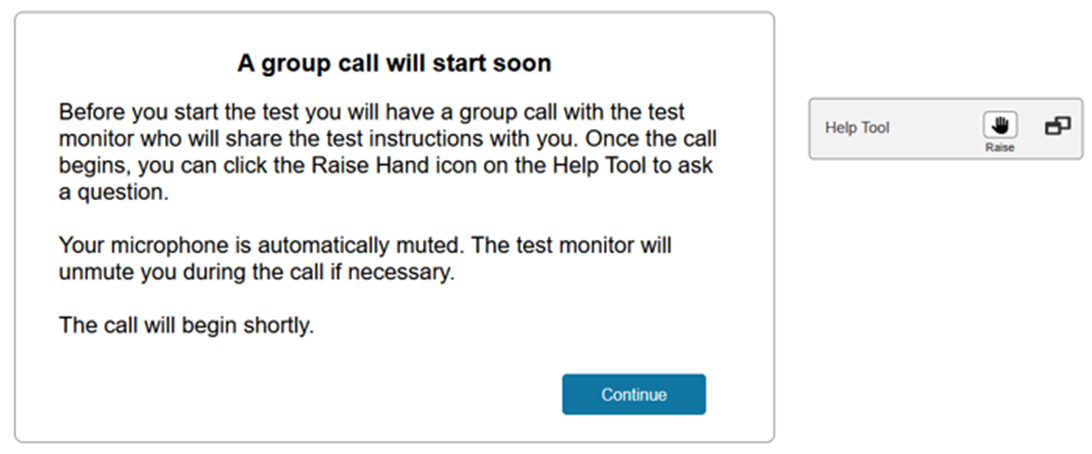
Proctors need to have placed testers into a remote session designating that a Group Call Before Testing is Required. When these testers log into TestNav, they will be presented with the following:
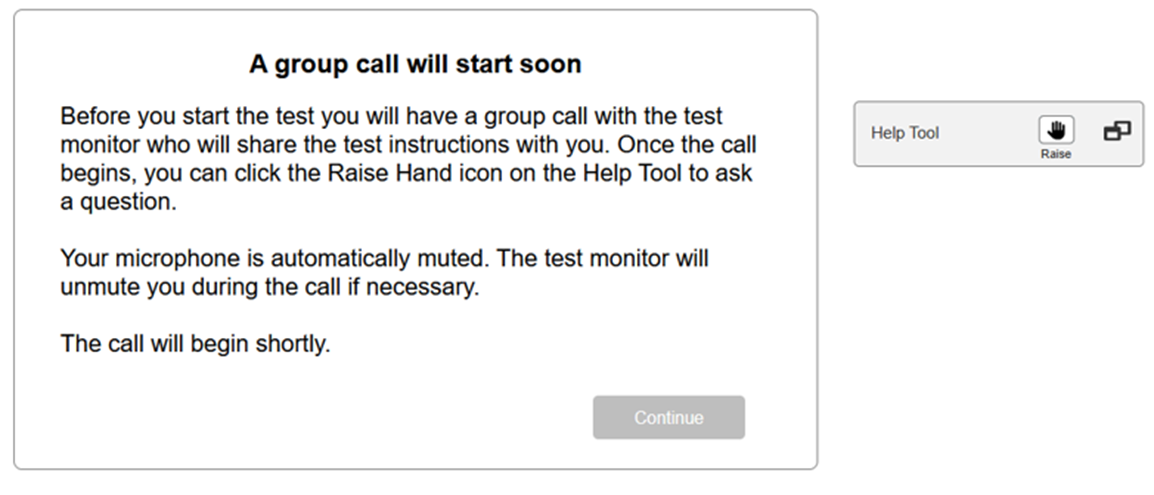
Note: Must be on TestNav 8.26 or higher and using PAN.
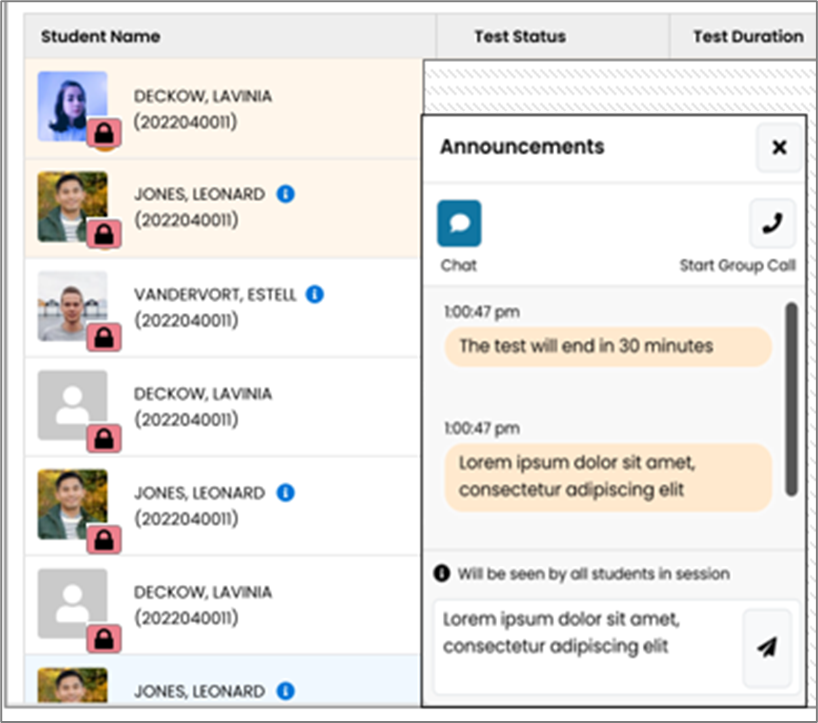
All testers will show as locked on the test management session screen.
The proctor can begin the group call using the Announcement widget “Start Group Call” button:
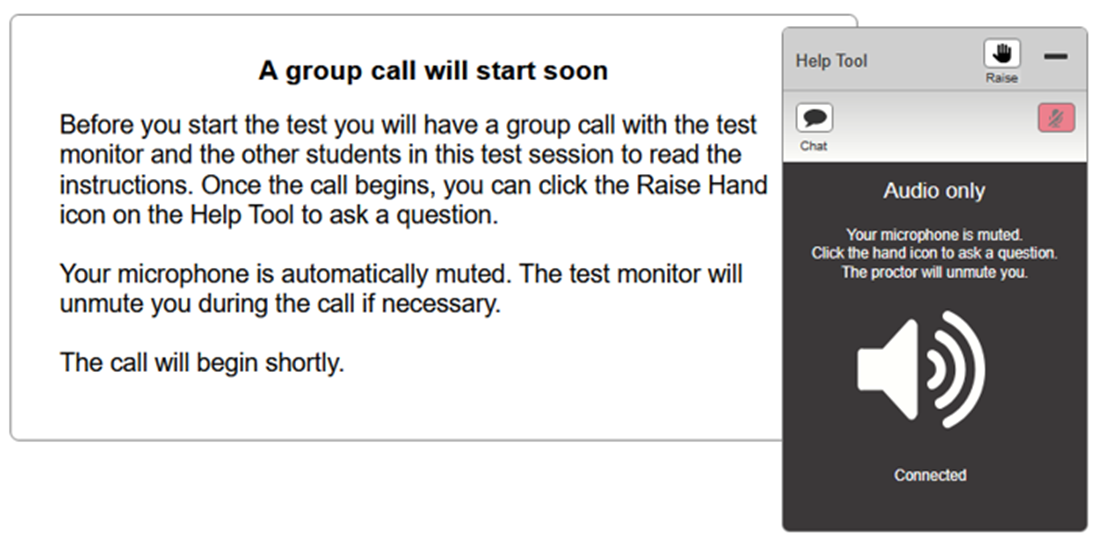
When a tester receives the group call from a proctor, their Help Tool widget opens, and they are brought into the group call.
The tester is muted. They can raise their hand if they need to communicate directly with the proctor. The proctor can individually unmute testers and have a conversation with them.
When the group call is completed, the proctor will press “End Call” on the Announcement widget.
Proctors are given the choice to allow all testers to proceed to the test or not to proceed. If “Do Not Proceed to Test” is selected, the proctor must individually unlock each tester when they decide it is appropriate to do so.
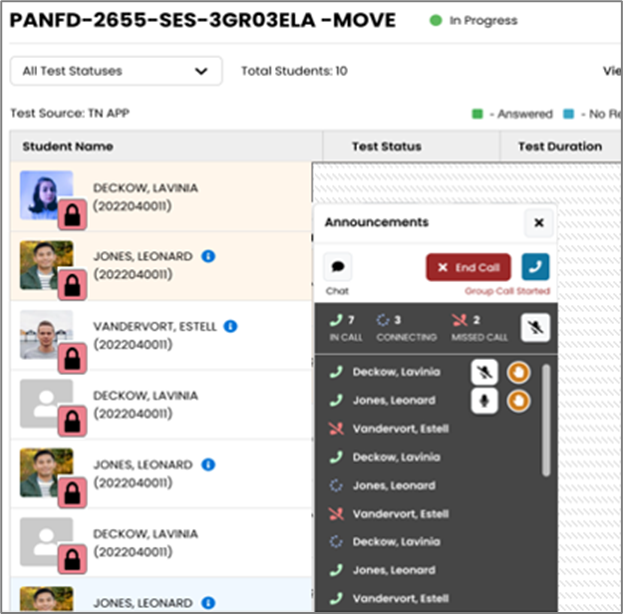
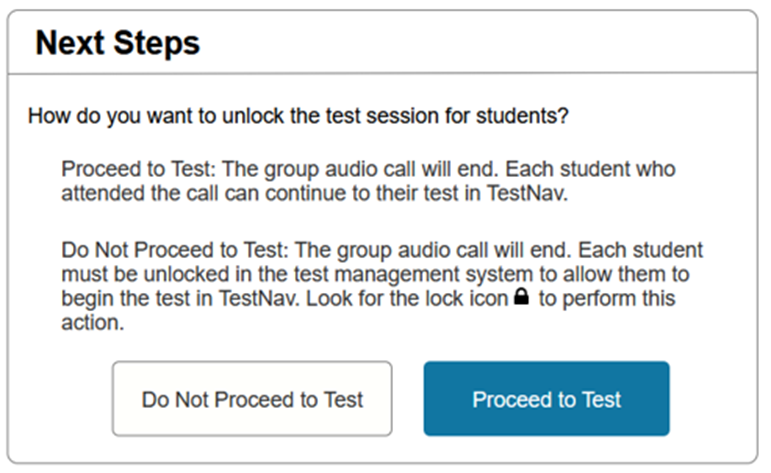
Once the proctor ends the group call or individually unlocks a specific tester, the tester’s “Continue” button becomes enabled. When the tester presses the ”Continue” button, they will proceed into the test.
Additional details:
If a student needs to Resume their test:
- If the test has previously been unlocked, the tester will proceed directly into the test.
- If the test has never been unlocked, the tester will be placed into the waiting room and the proctor will need to manage unlocking them.
